

EasySeikyu かんたん請求-見積書·請求書·領収書
瑜 邹 · Business
Independent analytics for this App Store listing. AppTracker is not affiliated with 瑜 邹.
Chart standing · US
What changed · US
Listing changes AppTracker has observed for this app in this storefront — new versions, price moves, rating shifts, and store copy.
Bug Fixes - Closing the line item editor without saving could change the line amount while leaving the subtotal and total out of date. Fixed. - Line items, subtotal, tax and total now always match: documents are recalculated with your current rounding setting when opened, when a PDF is created, and in lists and reports. - When several documents are combined into one invoice, their discounts are carried over per tax rate, so the total matches the original documents. - Going back from the item, business information or bank account editor without saving no longer keeps the unsaved changes. Improvements - Document Settings are now saved as soon as you change them; there is no Save button any more.
Ratings breakdown · US
The star breakdown behind this app's rating in this storefront.
In-app purchases · US
What this app sells inside itself, grouped by kind and priced for this storefront.
Screenshots




About
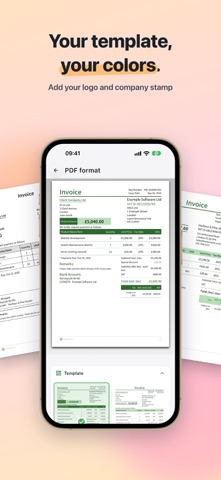
Create professional invoices, quotes, receipts, delivery notes and purchase orders in minutes. No accounting knowledge, no sign-up. BUILT FOR YOUR COUNTRY'S RULES Pick your country once - tax names, rates, ID formats and bank fields switch to match: - UK: VAT number, tax point, sort code - Australia: "Tax Invoice" title, ABN, GST, BSB - Germany, Austria & France: VAT ID, supply date, Factur-X / ZUGFeRD e-invoicing (EN 16931) - Switzerland: MWST rates, UID, Swiss QR - Japan: Qualified Invoice registration number Anywhere else, set your own tax label and rates. WHAT YOU GET - PDF templates from classic to minimal - Your own logo, stamp and signature - Payment QR code from a Stripe or PayPal link - Client database, reusable items, quote-to-invoice in one tap - Status tracking, email templates and reports - Bilingual documents in 8 languages, multi-currency with exchange rates - IBAN, BIC/SWIFT and intermediary bank details PRIVATE BY DEFAULT Works fully offline. All data stored locally with AES-256 encryption. Optional backup to your own cloud storage. Your client and invoice data is never shared. On iPhone, iPad, Android, macOS and Windows, with real keyboard shortcuts on desktop.
What's new · 1.16.5
Bug Fixes - Closing the line item editor without saving could change the line amount while leaving the subtotal and total out of date. Fixed. - Line items, subtotal, tax and total now always match: documents are recalculated with your current rounding setting when opened, when a PDF is created, and in lists and reports. - When several documents are combined into one invoice, their discounts are carried over per tax rate, so the total matches the original documents. - Going back from the item, business information or bank account editor without saving no longer keeps the unsaved changes. Improvements - Document Settings are now saved as soon as you change them; there is no Save button any more.
Details