
Chart standing · US
What changed · US
Listing changes AppTracker has observed for this app in this storefront — new versions, price moves, rating shifts, and store copy.
Back up and restore your entire setup — batch settings, groups, carousel plans, custom ratios and layouts — as a single file. New auto-fill recipes place photos for you: fine art editorial, urban candid, asymmetric modern, or surprise me. Refreshed onboarding, a smoother Carousel Plan editor, and stability fixes throughout.
Ratings breakdown · US
The star breakdown behind this app's rating in this storefront.
Screenshots




About
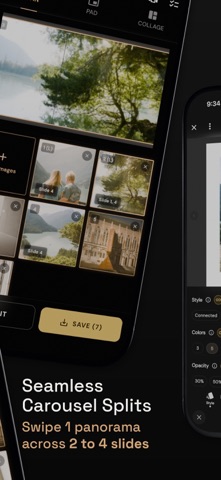
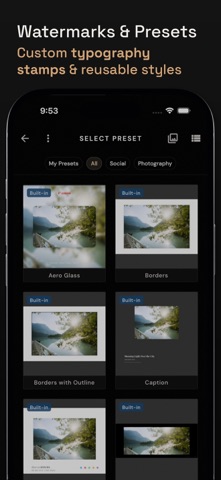
Stop editing your photography one photo at a time or losing your composition to forced crop grids. Batchpad is built for photographers, creators, and visual artists who want to upload an entire shoot and auto-pad 100+ photos at once in just 3 taps. Process full photo albums locally on your device with 100% native image quality and zero cloud uploads. HOW IT WORKS 1. Select your entire shoot or camera roll. 2. Choose your target aspect ratio: 4:5 Portrait, 1:1 Square, 9:16 Story, or 2:3 Pinterest. 3. Apply uniform borders, blurred ambient backgrounds, or Leica/Nikon style EXIF camera stamps. 4. Plan multi-slide carousels or slice wide panoramas into seamless continuous splits. 5. Export full-resolution images in seconds with EXIF metadata preserved. KEY FEATURES • Bulk Batch Photo Padding: Add clean white or custom color margins to 100+ photos simultaneously without cropping. • Carousel Storyboard Planner: Organize single photos and multi-page spreads in a drag-and-drop storyboard. • Seamless Panoramic Splits: Slice wide landscape photos across 2 to 4 contiguous carousel slides. • EXIF Camera Data Stamps: Display shutter speed, aperture, ISO, focal length, camera body, and color palette dots. • Perfect Aspect Ratio Fitting: Presets for Instagram 4:5, Stories 9:16, Pinterest 2:3, and Square 1:1. • Editorial Collages: Combine duos and multi-photo grids into magazine-style layouts. • Custom Watermarks & Typography: Add subtle signature stamps, copyright text, or logo watermarks. • 100% Local On-Device Processing: Full native image resolution, 100% quality, and complete privacy. Stop cropping your compositions. Download Batchpad and present your photos exactly as you shot them. Terms of Use (EULA): https://www.apple.com/legal/internet-services/itunes/dev/stdeula/ Privacy Policy: https://yellowsquared.us/privacy_policy
What's new · 3.15.1
Back up and restore your entire setup — batch settings, groups, carousel plans, custom ratios and layouts — as a single file. New auto-fill recipes place photos for you: fine art editorial, urban candid, asymmetric modern, or surprise me. Refreshed onboarding, a smoother Carousel Plan editor, and stability fixes throughout.
Details