

SlideAI Pro
Sense G.K. · Productivity
Independent analytics for this App Store listing. AppTracker is not affiliated with Sense G.K.
Chart standing · US
What changed · US
Listing changes AppTracker has observed for this app in this storefront — new versions, price moves, rating shifts, and store copy.
We changed how usage limits work.
Ratings breakdown · US
The star breakdown behind this app's rating in this storefront.
In-app purchases · US
What this app sells inside itself, grouped by kind and priced for this storefront.
Screenshots




About
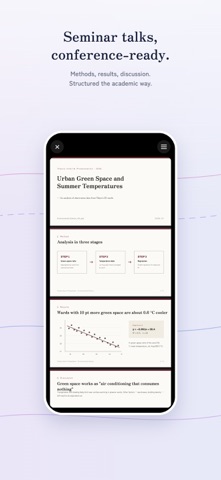
【One line of text, or a pasted document. AI designs the whole deck from scratch.】 SlideAI Pro turns text into presentations (PDF / PowerPoint). v15 rebuilds the generation engine from the ground up. Instead of filling templates, a designer-grade AI designs every deck individually: typography, colors, composition and diagrams that fit your topic. ■ Type it, or paste it • One line (e.g. "The largest planets of the Solar System, 9th grade") → a complete deck, structure included • Paste a report, article or meeting notes → formatted faithfully, every fact kept • No settings, no toggles. Pasted text is detected automatically ■ Diagrams that explain, not decorate • Comparisons side by side, processes as arrows, timelines on an axis, numbers big. One message per slide • Photos generated to match each slide • No recycled layouts or colors: every deck looks different ■ Editable PowerPoint, same look • "Export PPTX" keeps the design exactly as you see it • Text, tables and photos are exported as editable layers, ready for your own touches • View and share PDFs right in the app ■ Fix it in words, or by hand • "Edit with AI": say what to change, like "Make the timeline one slide and add 2019" • "Direct Edit": replace wording and images yourself ■ Takes a few minutes. Worth it Building a deck takes a few minutes. Close the app if you like; the finished deck lands in History. ■ 34 languages The app speaks 34 languages. Decks are generated in your device language, or in the language of the text you pasted. ■ Made for • Lessons, teaching materials and class presentations (students, teachers, researchers) • Proposals, pitches and internal reports • Turning an article or your notes into something you can present No more staring at a blank slide. Write one line, and the deck is done. Privacy Policy https://tau1717.wixsite.com/gaku/slideaipro-privacy Terms of Use https://www.apple.com/legal/internet-services/itunes/dev/stdeula/
What's new · 16.1.0
We changed how usage limits work.
Details