

Luxe Studio
Luxe Studio Apps LLC · Photo & Video
Independent analytics for this App Store listing. AppTracker is not affiliated with Luxe Studio Apps LLC.
Chart standing · US
What changed · US
Listing changes AppTracker has observed for this app in this storefront — new versions, price moves, rating shifts, and store copy.
A fresh creative update with playful Photobooth challenges, new effects, and a refreshed Studio that brings more editing tools together. Here’s what’s new: Photobooth • Try Meme Challenge: copy playful poses and see your photos beside the original inspiration • Switch between classic strips and cut snapshots you can move, resize, and rotate • Try the new Umber filter for a warm vintage look • Enjoy faster recap previews and smoother frame editing Effects • Explore the new Effects module • Try colorful slow motion with Chromatic, camera flashes and frozen poses with Flashbulb, and a rush of flashes with Paparazzi • Turn highlights into stars with Starburst • Add rainbow glass reflections with Prism, sliding raindrops with Rain Glass, and shimmering disco light with Disco Studio & Editing • Find your everyday tools more easily in a refreshed Studio • Bring filters, adjustments, beauty tools, backgrounds, frames, and overlays together in Edit • Slow down or speed up videos directly in Edit and Carousel • Pull up your previous edits from Studio tools, and revisit your creations in My Edits and My Favorites Studio Polish • Smoother trimming, scrubbing, and playback in React • Improved imports, editor transitions, thumbnails, and export reliability throughout Studio Create something beautiful and share it with us on Instagram @luxestudioapp!
Screenshots





About
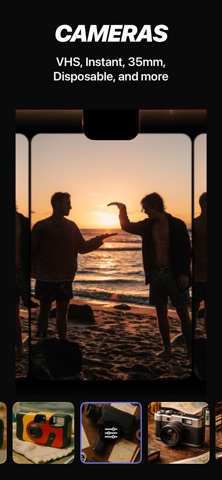
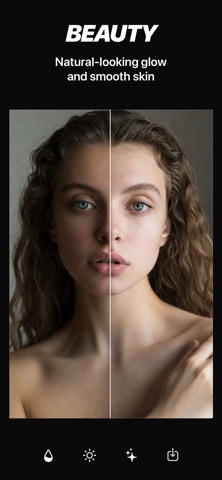
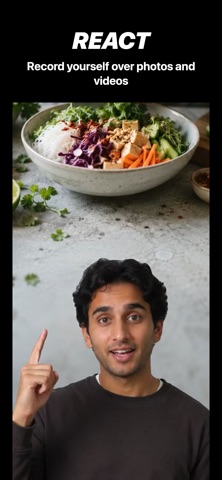
PRO-LEVEL EDITS IN YOUR POCKET A faster way to edit. Jump into exactly what you need with focused tools for filters, video, layout, cameras, and more. Transform your photos and videos with studio-quality results. MODULAR STUDIO WORKFLOW Luxe Studio is built around focused editing modules, so you can jump straight into what you need instead of digging through one crowded editor. No clutter. No digging. Just the tool you need, when you need it. • Photobooth — capture classic filmstrips • Filters — presets and custom color • Beauty — natural-looking skin edits • Cameras — retro film looks • Layout — collage design • Clips — trim video • Stitch — combine photos and videos • Tandem — record with front and back cameras • Keyframe — extract photos from video • Moments — quick story edits • Motion — looping effects • Speed — slow motion • Censored — privacy tools Faster editing, cleaner decisions, and a studio that stays out of your way. PHOTOBOOTH Capture four timed selfies and turn them into a classic photo strip. Customize with frames, backdrops, and vintage looks. FILTERS & COLOR Browse pro-designed presets for film, sunlit, night, outdoors, monochrome, print-inspired, chrome, neon, and more. Preview, fine-tune, and save favorites. Open the adjustments lab for exposure, contrast, tone, color, grain, bloom, glow, dust, scratches, light leaks, and more. BEAUTY Smooth, tan, and refine skin tone with natural-looking results using AI detection. Target face, body, or both. VINTAGE CAMERA LOOKS Capture or apply looks inspired by Polaroid, Instax, Super 8, Handycam, and VHS. Add REC badges, timers, date stamps, film gates, matte frames, and textures. TANDEM CAMERA Record with the front and back cameras at once. Choose picture-in-picture or stacked layouts and capture in one take. LAYOUT Create layouts with flexible templates, refined spacing, rounded corners, matte crops, and custom borders. TEXT & TITLES Add polished titles. Drag, pinch, rotate, and style across photos and videos. CLIPS Split and trim video. Export clips or full timelines. STITCH Combine photos and videos into one sequence. MOMENTS Turn photos and videos into a short montage. No editing required. MOTION LOOPS Turn Live Photos and short videos into loops with effects like Bounce, Pulse, and Echo Trail. SUPER SLOW MO Adjust video speed with AI smoothing for fluid slow motion. CENSOR Auto-detect faces and apply blur, pixelation, bars, or emoji. KEYFRAME Extract high-quality stills from video for thumbnails, covers, and social posts. METAL-POWERED RENDERING Built on Apple’s Metal engine for smooth, efficient editing. MODERN DESIGN Optimized for the latest iOS with a Liquid Glass design language. INSTANT ACCESS Unlock every feature instantly. Use Luxe Studio for free with a watermark, or subscribe for clean, watermark-free exports. SUBSCRIPTION PRICING & TERMS Luxe Studio offers three auto-renewing plans: • Weekly Membership – 1 week $2.99 / week • Monthly Membership – 1 month $5.99 / month • Annual Membership – 1 year $39.99 / year Prices are shown in US dollars (USD); actual charges are converted to your local currency. Payment is charged to your Apple ID at confirmation of purchase. Your subscription automatically renews unless it is canceled at least 24 hours before the end of the current period. Your account will be charged for renewal within 24 hours prior to the end of the period at the price shown above. Manage or cancel your subscription at any time in Settings › Apple ID › Subscriptions. • Privacy Policy: https://luxestudio.app/privacy-policy • Terms of Use: https://luxestudio.app/terms-of-use NO ACCOUNT REQUIRED FOR EDITING • NO ADS • LOCAL-FIRST EDITING Your editing studio is ready. Install Luxe Studio.
What's new · 1.3.1
A fresh creative update with playful Photobooth challenges, new effects, and a refreshed Studio that brings more editing tools together. Here’s what’s new: Photobooth • Try Meme Challenge: copy playful poses and see your photos beside the original inspiration • Switch between classic strips and cut snapshots you can move, resize, and rotate • Try the new Umber filter for a warm vintage look • Enjoy faster recap previews and smoother frame editing Effects • Explore the new Effects module • Try colorful slow motion with Chromatic, camera flashes and frozen poses with Flashbulb, and a rush of flashes with Paparazzi • Turn highlights into stars with Starburst • Add rainbow glass reflections with Prism, sliding raindrops with Rain Glass, and shimmering disco light with Disco Studio & Editing • Find your everyday tools more easily in a refreshed Studio • Bring filters, adjustments, beauty tools, backgrounds, frames, and overlays together in Edit • Slow down or speed up videos directly in Edit and Carousel • Pull up your previous edits from Studio tools, and revisit your creations in My Edits and My Favorites Studio Polish • Smoother trimming, scrubbing, and playback in React • Improved imports, editor transitions, thumbnails, and export reliability throughout Studio Create something beautiful and share it with us on Instagram @luxestudioapp!
Details