

Chart standing · US
What changed · US
Listing changes AppTracker has observed for this app in this storefront — new versions, price moves, rating shifts, and store copy.
• New: send each course when the kitchen needs it. Your order is grouped by course, so you can send the starters right away and keep the rest on hold until you're ready — or set a timer and let them go through on their own, 15 minutes later. Individual dishes can be held the same way. • Filter your order history by status, order type and time period to find any past order in seconds. • Completed an order by mistake? Undo it straight from the confirmation message. • New notification settings screen: choose exactly which alerts you want to receive. • Bug fixes and stability improvements.
Screenshots
About
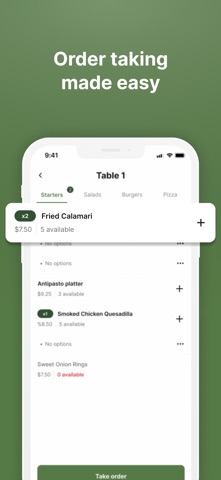
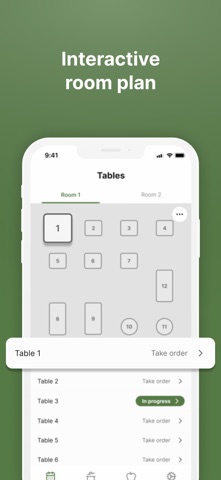
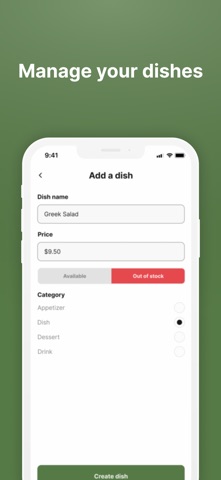
Bistromo – Simple order management for restaurants Bistromo is an app built for restaurants, cafés, food trucks, and small food businesses that want an easy way to manage orders without complex systems or unnecessary costs. Designed with restaurateurs in mind, Bistromo simplifies order taking, improves front-of-house and kitchen coordination, and helps teams save time every day. Built for small and independent restaurants Forget heavy and complicated software. Bistromo offers a clean, intuitive interface that’s quick to learn and easy to use, making it perfect for independent restaurants and small teams. Key features Fast and intuitive order taking Centralized order management Clean and simple interface Fewer order mistakes Time-saving workflow for staff and kitchen Designed for daily restaurant operations Why Bistromo? Order management should support your business — not slow it down. With Bistromo, you can: Serve customers faster Improve communication between staff and kitchen Focus on delivering a great dining experience Bistromo is a simple alternative to complex POS systems, built for restaurants that want to keep things simple and efficient. Download Bistromo today and streamline your restaurant operations.
What's new · 1.6.1
• New: send each course when the kitchen needs it. Your order is grouped by course, so you can send the starters right away and keep the rest on hold until you're ready — or set a timer and let them go through on their own, 15 minutes later. Individual dishes can be held the same way. • Filter your order history by status, order type and time period to find any past order in seconds. • Completed an order by mistake? Undo it straight from the confirmation message. • New notification settings screen: choose exactly which alerts you want to receive. • Bug fixes and stability improvements.
Details