
Chart standing · US
Ratings breakdown · US
The star breakdown behind this app's rating in this storefront.
Screenshots



About
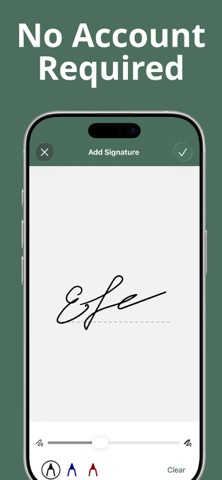
Sign PDFs in Seconds – Right on Your iPhone iSignly is the easiest way to sign PDF documents on the go. Scan, sign, and share documents in just a few taps – no printer, no hassle. Key Features: - Sign Documents Instantly – Draw or save multiple signature styles for quick access - Import from Anywhere – Add PDFs from iCloud, Files app, or Photo Gallery - Scan Paper Docs – Use your camera to turn paper into professional PDFs - Edit Pages – Crop, rotate, reorder, or delete pages with ease - Enhance Images – Apply filters and adjust quality for a clean, sharp result - Flexible Page Sizes – Choose standard formats like A4, Letter, etc. - Add Page Numbers – Automatically number pages for organized documents - Rename & Manage Files – Stay organized with easy file renaming Whether you're signing contracts, filling out forms, or scanning receipts, iSignly makes it fast and secure — all from your phone. Privacy Policy: https://isignly.app/privacy-policy.html Terms of Service: https://isignly.app/terms-of-use.html
What's new · 1.2.4
The latest version contains bug fixes and performance improvements.
Details