

GamePad Link
Crazysoft Limited · Games
Independent analytics for this App Store listing. AppTracker is not affiliated with Crazysoft Limited.
Chart standing · US
In-app purchases · US
No in-app purchases.
Screenshots


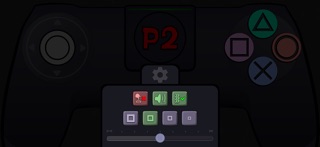

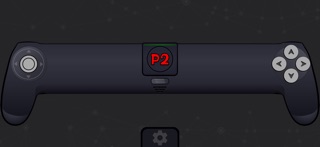

About
GamePad Link' by 'Crazysoft Limited' Transform your smartphone or tablet into a virtual gamepad IMPORTANT: This is NOT a standalone app! GamePad Link is exclusively designed as a companion app for "Educational Family Games" game. You must have the main "Educational Family Games" game to use this controller app. HOW TO USE: 1. Make sure "Educational Family Games" game is running and waiting on the start screen 2. GamePad Link operates over the local network and must be connected to the same network via WiFi 3. Please ensure "Educational Family Games" and GamePad Link are both connected to the same home network 4. IMPORTANT: Cellular data will not work - WiFi connection is required! FEATURES: • Works on both phones and tablets • Adjustable gamepad size for comfort • Virtual gamepad controls • Haptic feedback • Sound effects • Support for up to 4 players • Zero ads • Completely free Having issues? https://www.crazysoft.gr/gamepad_link.php
What's new · 1.8.0
* Added Automatic Connection with QR scanning. Needs version 1.1.0 in host game. * Manual connection now inputs numbers with keyboard not scroller. * Added lost connection button.
Details