

+Date-Loc
Keietsu Yasuhara · Photo & Video
Independent analytics for this App Store listing. AppTracker is not affiliated with Keietsu Yasuhara.
Chart standing · US
What changed · US
Listing changes AppTracker has observed for this app in this storefront — new versions, price moves, rating shifts, and store copy.
Fixed an issue where the photo library could not be opened on iOS 27. This version requires iOS 15 or later. If the album contents do not appear upon startup, please go to the "Settings" app, select "Apps" at the bottom, choose "+Date-Loc" and set the "Photos" access permission to "Full Access."
In-app purchases · US
What this app sells inside itself, grouped by kind and priced for this storefront.
Screenshots


About
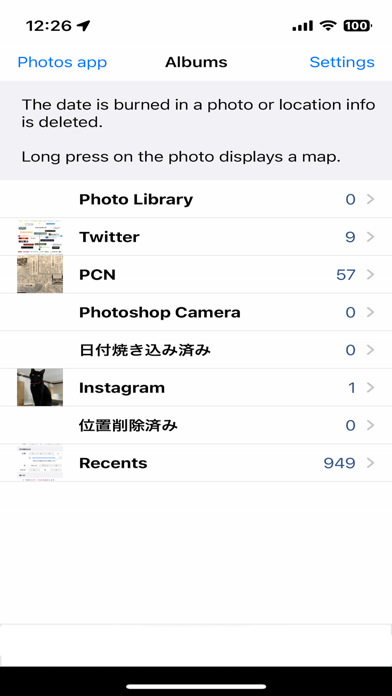
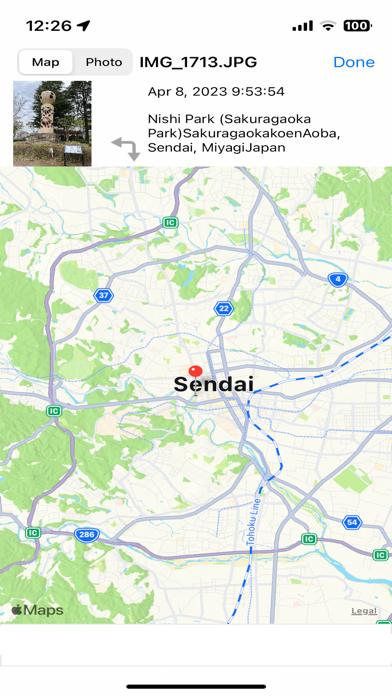
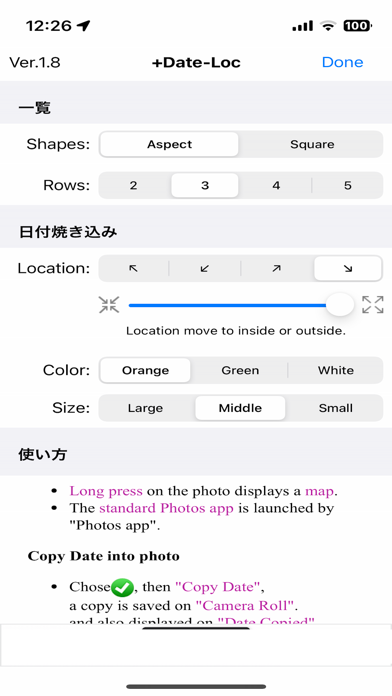
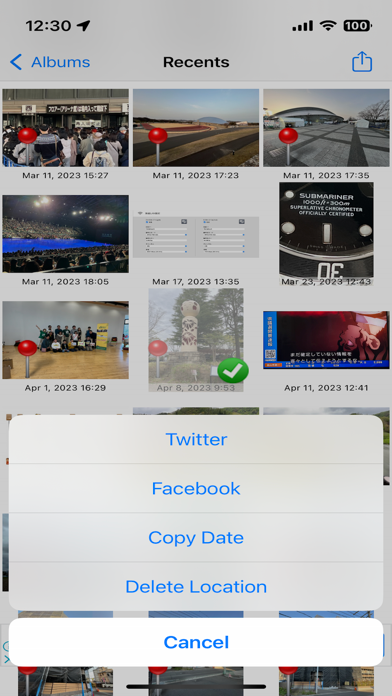
This app copy the date into a photo by simple operation, or deletes position information. It is convenient to see the address and a map of a photo. The photograph of plurality can be processed collectively. - Since a pin is located on a photograph with location information, understand at a glance. - A map will be displayed if long press the photograph. [Copy date into photo] - Tap the photo and choose the "Copy Date" -> Copy the date of the photographing day into a photo in the specified position. -> It is an image in case the date is copied by film photo. [Delete Location info] - Tap the photo and choose the "Delete Location" -> Only the position information on the photograph is deleted. -> Since the photograph which deleted location information is packed into an album, it is easy to identify. - Contribution is also made to Twitter and Facebook from the inside of an application in a setup. - Perform deletion of a photograph by a standard photograph application (it is the specification of iOS). -> Since a standard photograph application can be started from this application, it is very convenient.
What's new · 1.9
Fixed an issue where the photo library could not be opened on iOS 27. This version requires iOS 15 or later. If the album contents do not appear upon startup, please go to the "Settings" app, select "Apps" at the bottom, choose "+Date-Loc" and set the "Photos" access permission to "Full Access."
Details