

Calculate 84 AI
Fredinax Tech LLC · Education
Independent analytics for this App Store listing. AppTracker is not affiliated with Fredinax Tech LLC.
Chart standing · US
What changed · US
Listing changes AppTracker has observed for this app in this storefront — new versions, price moves, rating shifts, and store copy.
The biggest update yet. Calculate 84 AI now reads any equation, table or worksheet. • Scan a problem: photograph a worksheet, a table or a handwritten equation and it lands on the calculator in seconds, ready for ENTER • Guide me: ask how to do something and get numbered steps with the real keys as tappable chips that open the right menu • Ask by voice: hold the microphone, speak the question, get the answer • Smarter math: exact derivatives and integrals, fraction templates, scientific notation and every catalog command understood • A new look: the Calc AI theme, a cleaner status bar, and Mac support Intended for use with TI-84. Not affiliated with Texas Instruments.
Price & rating history · US
Reconstructed from the listing changes AppTracker has observed in this storefront. A field is charted once it has changed more than once, and each line starts at the value it moved from.
Average rating · ★ 4.58 now · 5 changes on record
In-app purchases · US
What this app sells inside itself, grouped by kind and priced for this storefront.
Screenshots




About
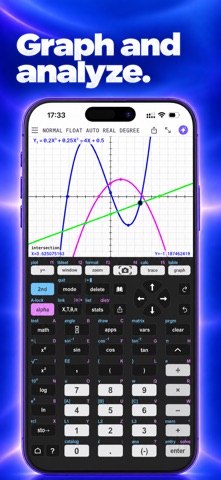
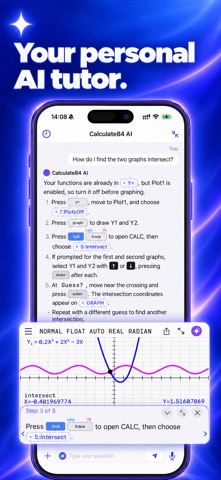
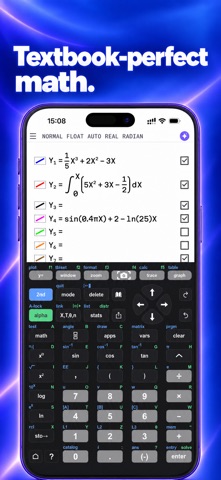
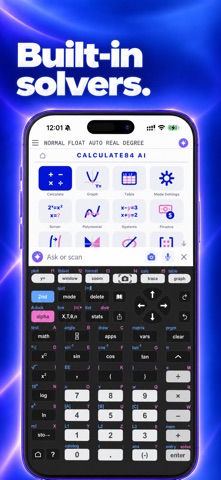
The graphing calculator intended for use with TI-84, now supercharged with AI. Skip the tedious typing: snap a picture of your math problem, and our AI instantly sets up the calculator for you. THE AI MATH SCANNER Why type when you can scan? Point your camera at a worksheet, a data table, or a handwritten expression. In seconds, our AI extracts the math and prepares your graphing calculator. • Auto-fills your lists: Data tables go straight into the calculator list editor. • Enters Y= functions: Complex equations are typed out for you. • Sets the zoom window: The graphing window adjusts perfectly to your math. Review the setup, tap Insert, and you are ready to solve. It is a massive time saver. CALCULATE LIKE IN CLASS Every key on this calculator sits exactly where you expect it. Every menu matches what you see on the board. Get the precise answers your teacher expects from a graphing calculator. • Toggle exact or decimal calculator answers. • Work with fractions and mixed numbers. • Switch seamlessly between degrees and radians. • Reuse past entries from the smart calculator home screen. GRAPH AND ANALYZE Turn your phone into a powerful graphing calculator. Graph functions, inequalities, parametric, polar, and sequence equations effortlessly. • Find intersections, zeros, minima, and maxima right on the graph. • Calculate derivatives and integrals visually. • Customize your graphing calculator with colors and line styles. • Let the window automatically follow your data. STATISTICS AND PROBABILITY Run advanced statistics just like you would on a physical calculator. • Compute every regression from linear to logistic. • Work with normal, binomial, Poisson, t, and chi-square distributions. • Use the exact same argument order you learned in class. • Fill out clean forms for hypothesis tests and confidence intervals. SOLVE AND COMPUTE Speed through assignments with built-in calculator tools. Use a numeric equation solver, a polynomial root finder, and a solver for systems of equations. Handle matrices with rref, determinants, and inverses. Run the finance solver for TVM and amortization. TEXTBOOK-PERFECT DISPLAY Math on your calculator should look like real math. Fractions stack neatly, roots look real, and long results stay perfectly readable. Share your calculator screen instantly as an image. Customize your experience with beautiful themes, and explore a searchable catalog that explains every calculator command. YOUR PERSONAL AI TUTOR Stuck on the keys? Ask the app by text or voice. Say "How do these graphs intersect?" and get numbered steps with real keys presented as tappable chips. Tap a chip, and the app opens the exact calculator menu you need. This builds real understanding and confidence for homework, tests, and exams. WHO IS IT FOR? High school and college students mastering algebra, calculus, statistics, and prepping for the SAT & ACT. Teachers who want to project a graphing calculator in class. Anyone who needs a top-tier calculator in their pocket, on their phone, and on their Mac. --- Calculate 84 AI Subscriptions • Free to try with included smart scans and tutor questions. • Upgrade to Plus or Pro for many more scans and tutor questions, or unlock the calculator for good with a one-time purchase. • Subscriptions automatically renew unless canceled at least 24 hours before the end of the current period. Manage your subscription in Account Settings. Terms of Service: https://fredinax.com/terms/ Privacy Policy: https://fredinax.com/privacy/ TI-84 is a registered trademark of Texas Instruments Incorporated. Calculate 84 AI is not affiliated with Texas Instruments.
What's new · 1.1.0
The biggest update yet. Calculate 84 AI now reads any equation, table or worksheet. • Scan a problem: photograph a worksheet, a table or a handwritten equation and it lands on the calculator in seconds, ready for ENTER • Guide me: ask how to do something and get numbered steps with the real keys as tappable chips that open the right menu • Ask by voice: hold the microphone, speak the question, get the answer • Smarter math: exact derivatives and integrals, fraction templates, scientific notation and every catalog command understood • A new look: the Calc AI theme, a cleaner status bar, and Mac support Intended for use with TI-84. Not affiliated with Texas Instruments.
Details