

OSnap! Pro 2: Lapse & Motion
Justin Cegnar · Photo & Video
Independent analytics for this App Store listing. AppTracker is not affiliated with Justin Cegnar.
Chart standing · US
What changed · US
Listing changes AppTracker has observed for this app in this storefront — new versions, price moves, rating shifts, and store copy.
Price & rating history · US
Reconstructed from the listing changes AppTracker has observed in this storefront. A field is charted once it has changed more than once, and each line starts at the value it moved from.
Average rating · ★ 4.94 now · 3 changes on record
Ratings breakdown · US
The star breakdown behind this app's rating in this storefront.
In-app purchases · US
What this app sells inside itself, grouped by kind and priced for this storefront.
Screenshots



About
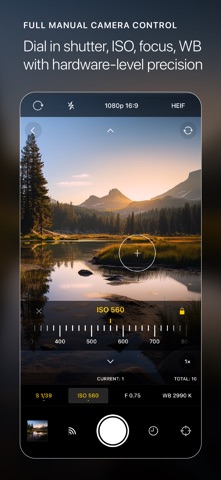
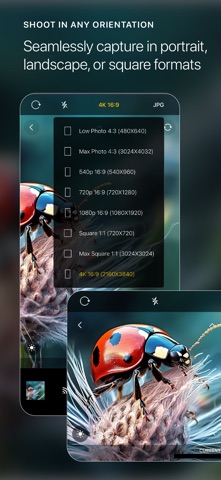
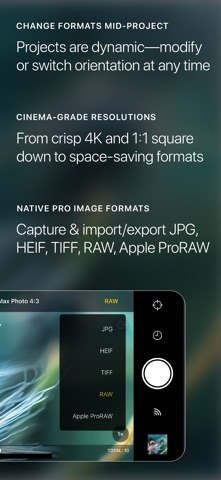
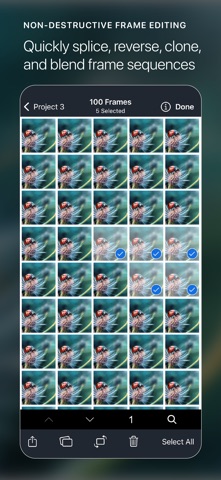
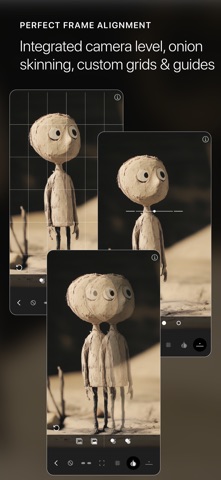
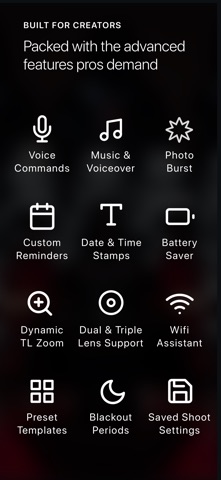
Transform your iOS device into a pro-level time-lapse & stop motion photography studio. Simple, intuitive, versatile and powerful, OSnap! Pro 2 has every tool you need to bring your creative visions to life. Perfect for professional filmmakers, content creators, influencers, hobbyists, designers, artists, nature photographers, professional animators, educators, students, travel enthusiasts, and more. See it in action on Instagram: https://www.instagram.com/osnapphotoapp == STOP MOTION PHOTOGRAPHY == Picture animating your favorite Lego action figures into thrilling mini-adventures or molding clay characters that spring to life and move through time. OSnap! Pro 2 puts the world of stop motion in your hands. Use a collection of custom guides and overlays such as the “onion skin” to perfectly align and track each frame. Trigger photo captures “hands free” by issuing voice commands, or use the “WiFi Assistant” to snap pics remotely from a Mac or PC. Record your own voice in real time to breathe life into your creations. Once finished, render a smooth, beautiful HD video of your masterpiece to share with your friends. == TIME-LAPSE PHOTOGRAPHY == Ever wanted to capture the magic and beauty of a flower blooming, an ice cube melting, or billowing clouds speeding across a wide open sky? Set up a photo shoot to capture frames as quickly as ¼ sec or as slowly as once every 48 hours, or use “photo burst” to capture live action scenes. Use the custom built “dynamic time-lapse zoom” to smoothly and automatically zoom in (or out) as the shoot progresses. Turn on “battery saver” to maximize your shoot time, and utilize “blackout periods” to pause shooting during designated times. == FULLY MANUAL CAMERA == Fine-grained control of EV, Shutter, ISO, Focus & WB provides maximum flexibility, allowing you to work in low light, create long exposure streak effects, capture bokeh or shallow depth of field shots, and more. + Numerous formats: JPG, HEIF, TIFF, RAW & ProRAW + Shoot in every res & aspect ratio: 4K, Max Photo 4:3, 1080p, Square 1:1 & More + Save and reapply camera settings from session to session + Front & back camera, dual & triple lens support == CUSTOMIZABLE PROJECTS == Choose from a collection of built-in preset projects or create and customize your own + Projects support landscape, portrait & square orientations + Add or delete frames and adjust settings at any time + Set reminders for projects such as “daily portrait” + Render and store multiple videos from each project + Copy & clone projects. Import frames from one project to another + Begin each project with your target settings by adjusting “default project settings” == POWERFUL EDITING == Unleash your inner filmmaker with powerful editing features + Copy, remix, splice, reverse and blend frame sequences + Add music from your Music library or other sources such as Dropbox or Google Drive + Add date & time stamp overlays to precisely measure the passage of time across frames + Adjust FPS playback in a real-time playback preview, from ¼ - 200 FPS == ROBUST IMPORT & EXPORT == Our photo import/export engine allows you to move photos of any resolution/aspect ratio into and out of the app with ease + Batch import & export photos of all supported formats to/from the iOS Photos app as well as other sources such as Files, Dropbox + Auto-export photos in real-time during your shoot, with the option to delete the originals + Batch transfer photos to your Mac or PC over WiFi; optionally, choose to auto-transfer each photo the moment the camera captures it Tutorials: https://osnapphotoapp.com/tutorials/ Privacy Policy: https://www.osnapphotoapp.com/privacy/ Terms of Use: https://www.apple.com/legal/internet-services/itunes/dev/stdeula/
What's new · 1.0.12
--Minor bug fixes and improvements
Details