

Lumbernatics - Woodwork Plans
Aidaluu Inc. · Business
Independent analytics for this App Store listing. AppTracker is not affiliated with Aidaluu Inc.
Chart standing · US
What changed · US
Listing changes AppTracker has observed for this app in this storefront — new versions, price moves, rating shifts, and store copy.
Thanks for using Lumbernatics. This latest update bring user interface and performance improvements Send in feedback and suggestions for new features at lumbernatics.aidaluu.com.
Price & rating history · US
Reconstructed from the listing changes AppTracker has observed in this storefront. A field is charted once it has changed more than once, and each line starts at the value it moved from.
Average rating · ★ 3.42 now · 8 changes on record
In-app purchases · US
What this app sells inside itself, grouped by kind and priced for this storefront.
Screenshots


About
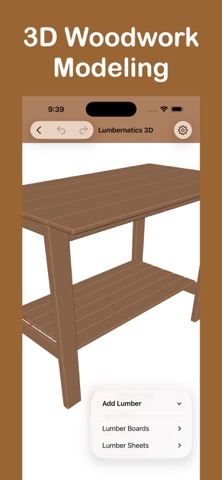
Lumbernatics helps you create plans and 3D models for simple woodworking projects. Proudly made in Canada, Lumbernatics is free to download with subscription plans as well as a one‑time perpetual upgrade option. No ads. No data collection. Total privacy. Two Powerful Editors for All Your Woodworking Project Needs - 3D Editor: Create realistic 3D models that you can pan, rotate, and view from any angle. The 3D Editor allows you to visualize your project in a fully interactive environment, making it easier to understand how each piece fits together. Start quickly with 3D build examples for common projects like picture frames, garden planters, end tables, and more. These examples can be customized to suit your needs, helping you learn how to use the tools while creating practical designs. - 2D Isometric Editor: Quickly put together a wood project design using the 2D isometric editor. This editor is ideal for sketching out ideas in a simpler, two-dimensional format while still conveying depth through isometric projection. It's perfect for creating straightforward plans without the complexity of full 3D modeling. Easy Interface: Enjoy a simple and user-friendly design that makes it accessible for beginners and efficient for experienced users. The intuitive layout ensures that all tools and features are easily reachable, so you can focus on planning your project without any hassle. Custom Sizes: Choose from common lumber sizes or set your own custom dimensions to match the materials you have or plan to purchase. This flexibility ensures that your designs are accurate and tailored to your specific project requirements. Export Options: Export your design as an images or print out physical copies. You can also save and print your detailed lumber list, which includes all the pieces you'll need with their dimensions. This makes shopping for materials and organizing your build much more straightforward. Save Projects: Save your designs and re-import them later for further editing. This feature allows you to work on projects over multiple sessions and make adjustments as needed without starting from scratch. Quick Duplication: Easily duplicate lumber pieces to expand your design without repetitive manual input. If your project requires multiple identical pieces, like table legs or fence posts, you can create copies quickly to save time and maintain consistency. Alignment Tools: Automatically align multiple pieces for uniform spacing and dimensions. This is especially useful when arranging elements like shelves, slats, or any components that need to be evenly distributed. It helps maintain symmetry and balance in your design. Lumber Numbering: Number your lumber pieces for easy identification during the building process. Each piece in your design is assigned a unique number, which corresponds to the lumber list you can print. This makes it easier to keep track of parts, reducing confusion and mistakes when cutting and assembling. Note: Free mode limits the number of lumber pieces and adds watermarks. Upgrade with an in-app purchase to remove these limitations, unlock all features and build examples. When you purchase a subscription, payment will be charged to your Apple ID Account upon confirmation of purchase. The subscription will renew automatically unless you cancel it at least 24 hours prior to the end of the current subscription period. You can manage and cancel your subscriptions by going to your account settings on the App Store after purchase. Privacy Policy https://www.aidaluu.com/privacy/Lumbernatics.html Terms of Use https://www.aidaluu.com/tos/Lumbernatics.html
What's new · 4.4.1
Thanks for using Lumbernatics. This latest update bring user interface and performance improvements Send in feedback and suggestions for new features at lumbernatics.aidaluu.com.
Details