

QuickNotes Flashcards Watch
阳 孙 · Education
Independent analytics for this App Store listing. AppTracker is not affiliated with 阳 孙.
Chart standing · US
What changed · US
Listing changes AppTracker has observed for this app in this storefront — new versions, price moves, rating shifts, and store copy.
- More reliable transfers: photos are resized for Apple Watch before sending, so they arrive faster and are less likely to stall - See delivery progress on iPhone (Delivered 3 of 20), and a confirmation when a card reaches your Watch - The app no longer says "offline" just because the Watch app is closed; cards keep arriving in the background - The Watch home screen shows when cards are being received - Full-screen text cards now show their title - Clearer previews in text decks
In-app purchases · US
No in-app purchases.
Screenshots


Keywords this app targets
Search terms AppTracker associates with this app — estimates, not search volume. ❝ = in the app's title; a highlighted number is its current position for that term.
Similar apps
Competitors and close alternatives, as estimated by AppTracker.
 TangoWrist Watch Flashcards
RUMAHSAKU CORP.
1 shared topic · 2 shared title words
TangoWrist Watch Flashcards
RUMAHSAKU CORP.
1 shared topic · 2 shared title words
 Notes for Watch
Patrick Balestra
1 shared title word
Notes for Watch
Patrick Balestra
1 shared title word
 jigNOTES
Laszlo Hasenau
jigNOTES
Laszlo Hasenau
 Watch Voice Memo
Kei Honda
1 shared title word
Watch Voice Memo
Kei Honda
1 shared title word
 BoardWatch
Pablo Serradilla Garcia
BoardWatch
Pablo Serradilla Garcia
 Notes+ for Watch: Remind Me
Hemal Modi
Notes+ for Watch: Remind Me
Hemal Modi
 Quicks - Quick registration
DYMXN, K.K.
Quicks - Quick registration
DYMXN, K.K.
 WatchAnything - watch faces
Marc Hofmann
1 shared title word
WatchAnything - watch faces
Marc Hofmann
1 shared title word
About
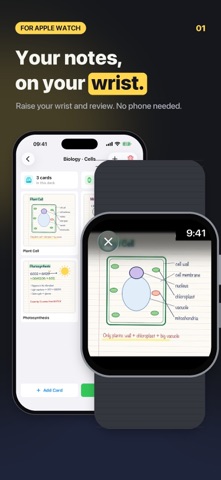
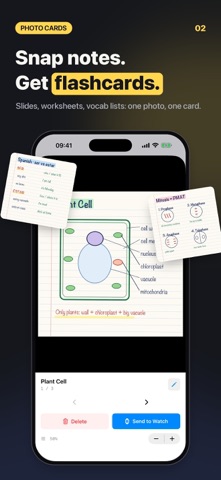
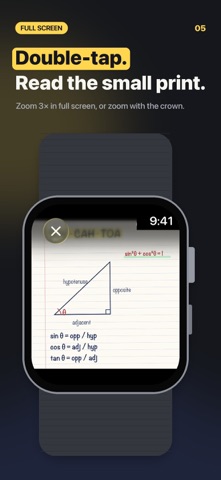
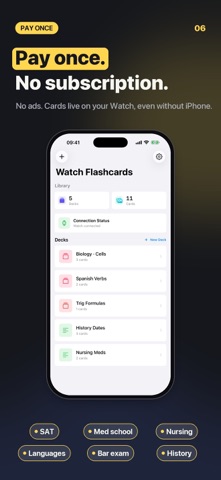
Put your notes on your wrist. QuickNotes turns photos of your notes and short text cards into flashcards you can review on Apple Watch: in line, on the bus, or five minutes before an exam. PHOTO CARDS • Take a photo or pick one from your library: slides, worksheets, vocab lists, diagrams • Organize cards into decks by subject TEXT CARDS WITH MARKDOWN • Type formulas, dates, vocabulary or drug names • Headings, bold, italics and lists, with a live preview while you edit • Text stays crisp on the Watch screen ON APPLE WATCH • Turn the Digital Crown to flip through your cards • Tap a card for full screen; double-tap a photo to zoom 3×, or zoom with the crown • Cards are stored on the Watch, so you can review without your iPhone nearby SENDING TO YOUR WATCH • Send one card or a whole deck with one tap • Photos are resized for the Watch before sending, so transfers are small and quick • See delivery progress on iPhone; cards keep arriving in the background PAY ONCE • No ads, no subscription, no account Requires an iPhone with iOS 14 or later and an Apple Watch with watchOS 8 or later.
What's new · 2.4
- More reliable transfers: photos are resized for Apple Watch before sending, so they arrive faster and are less likely to stall - See delivery progress on iPhone (Delivered 3 of 20), and a confirmation when a card reaches your Watch - The app no longer says "offline" just because the Watch app is closed; cards keep arriving in the background - The Watch home screen shows when cards are being received - Full-screen text cards now show their title - Clearer previews in text decks
Details