

Expense Budget: Money Manager
Yvonne Long · Finance
Independent analytics for this App Store listing. AppTracker is not affiliated with Yvonne Long.
Chart standing · US
What changed · US
Listing changes AppTracker has observed for this app in this storefront — new versions, price moves, rating shifts, and store copy.
Ratings breakdown · US
The star breakdown behind this app's rating in this storefront.
Screenshots



About
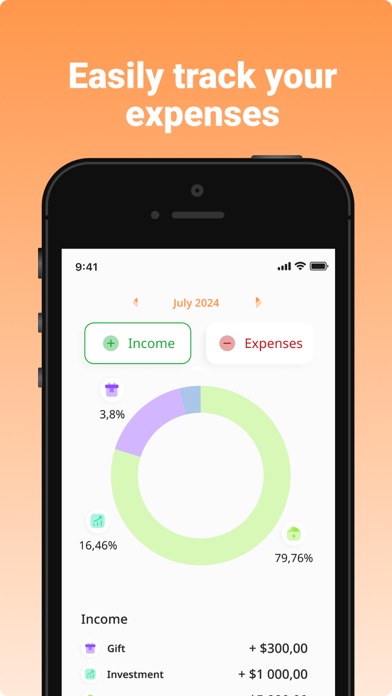
Budget Planner is your unlimited Money Manager and Bills Organizer app. Our budget app helps you manage your finances better. The app provides you the best Bills Organizer & Reminder. This is your Money Saver and analytics for your income and expenses. Key Features: + Log your income and expenses easily. + Quick selection from categories. Group transactions by categories. + Add repeating transactions to simply manage your expenses and income. + Create and use custom categories for your transactions. + Insights - view all your transactions with visualizing via understandable and proper charts. + Budget Calendar. Use the time range to organize your bills into daily, weekly, monthly, or yearly options. + Bills reminder. + No required authorization. All data is stored locally on your device, they are not available to us, nor to third parties. Premium subscriptions are available to get full access in the app with flexible plans with a 3 days trial period. This app includes an auto-renewable subscription (Premium Subscription): Premium Subscription provides all features. And you get full access to the app. Payment will be charged to your Apple account at confirmation of purchase and will automatically renew (at the duration/price selected) unless auto-renew is turned off at least 24 hours before the end of the current period. Account will be charged for renewal within 24-hours prior to the end of the current period. Current subscription may not be cancelled during the active subscription period. You can manage your subscription and/or turn off auto-renewal by visiting your Apple Account Settings after purchase. Also you can tap the "Manage Subscription" menu option in the App Settings. Any unused portion of the free initial period will be forfeited when you purchase a subscription. Manage Subscription: https://docs.google.com/document/d/1l2J1b92U7FiGeq-Ra8qwko9VO3e4Ej6CufLTfzTYoWw/edit?usp=sharing Privacy Policy: https://docs.google.com/document/d/1MWvNYu3TFfIo3odd19xOQq8SSj8F_CpegIyZ08BEMXQ/edit?usp=sharing Terms of Use: https://docs.google.com/document/d/1EjAmUBNzFpgWvx4iDFZ1Nj1GbHCAhIN_vu5UTYnv3rI/edit?usp=sharing
What's new · 1.0.6
- Updated logo. - Minor improvements.
Details