

Easy Smart Scanner
Christophe Pereira · Productivity
Independent analytics for this App Store listing. AppTracker is not affiliated with Christophe Pereira.
Chart standing · US
What changed · US
Listing changes AppTracker has observed for this app in this storefront — new versions, price moves, rating shifts, and store copy.
A new scanner, and documents that stay with you. • Scan as many pages as you need, the 24 page limit per scan is gone • Pages are captured automatically as you put them down, one after another • Adjust a page's corners by hand, while scanning or any time afterwards • Every scan is now a document you can name, reopen and add more pages to • Pages are enhanced automatically, for whiter paper and sharper text • Searchable PDFs, with a choice of page size and file size • Rotate, reorder and filter pages, or change several at once • Share as a PDF or as images, or save straight to Photos
Ratings breakdown · US
The star breakdown behind this app's rating in this storefront.
In-app purchases · US
No in-app purchases.
Screenshots


About
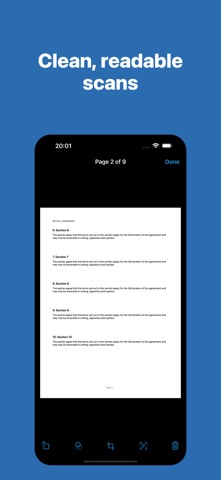
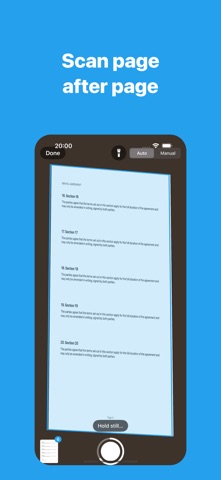
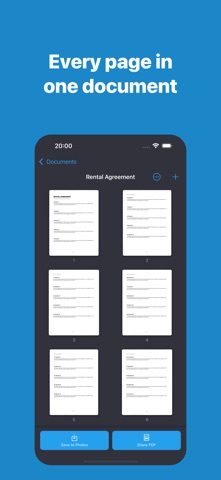
Scan documents with your iPhone or iPad — as many pages as you need. Easy Scanner finds the page in front of the camera, captures it as soon as you hold it steady, and straightens it into a clean, readable scan. Put down the next page and it captures again, so a whole stack goes in one page after another. Every scan is kept as a document you can name, reopen and add to whenever you like. Features • No page limit — scan a receipt, a contract, or a whole folder in one go • Automatic capture: the page is taken as soon as it's held still, hands free • Edges found for you, with the perspective straightened out • Adjust the corners by hand whenever a crop needs fixing, while scanning or later • Filters that whiten paper and sharpen text: Enhanced, Grayscale, Black & White, or the untouched photo • Searchable PDFs — text is recognised on your device, so you can search the PDF and copy from it • Copy the text of any page straight from the app • Drag to reorder pages, rotate them, delete them, or change several at once • Export as PDF, sized to your scan or to A4 or US Letter, in three file sizes • Share pages as images or save them to Photos • Import photos you have already taken Everything stays on your device. There is no account to create, nothing to sign in to, and nothing is uploaded.
What's new · 2.0
A new scanner, and documents that stay with you. • Scan as many pages as you need, the 24 page limit per scan is gone • Pages are captured automatically as you put them down, one after another • Adjust a page's corners by hand, while scanning or any time afterwards • Every scan is now a document you can name, reopen and add more pages to • Pages are enhanced automatically, for whiter paper and sharper text • Searchable PDFs, with a choice of page size and file size • Rotate, reorder and filter pages, or change several at once • Share as a PDF or as images, or save straight to Photos
Details