

PDF Document Editor, Read Book
Oleksandr Bilyk · Productivity
Independent analytics for this App Store listing. AppTracker is not affiliated with Oleksandr Bilyk.
Chart standing · US
Ratings breakdown · US
The star breakdown behind this app's rating in this storefront.
Screenshots


About
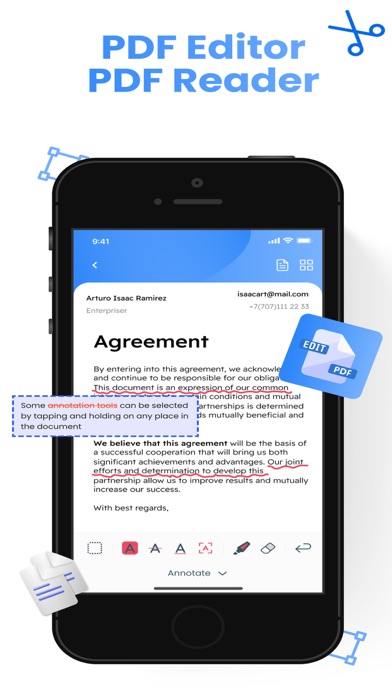
The ultimate PDF Editor and PDF Reader: + Add text, images, signatures to PDF easily. + Read PDF Books and annotate them. + Highlight, underline and strikethrough text. + Draw on PDF pages. + Get all text from your PDF with OCR PDF feature. + Manage your pages. + Converter to and from PDF. + Export and Share your edited files. Edit PDFs with Photos. Add photos and images to the pdf. + Import files, tables, slides and docs from iCloud. + Import photos from Photo Library. PDF Signature: + Sign documents professionally. + Create and save your e-signature to use it in a few taps. + Sign documents and fill forms in a few taps. PDF Scanner: + Scan documents or books to PDF. + OCR PDF. PDF Management, Manage pages in PDFs: + Merge PDF. + Combine PDF. + Split PDF. + Add, rotate, extract, reorder and delete pages in PDF files. PDF Converter: + Choose the format to which you want to convert the file. + Convert or open Word, Excel PowerPoint, TIFF, JPEG, PNG files to PDF. + Image to PDF. Document Protection: All documents are stored locally on your device, they are not available to us, nor to third parties. Subscription pricing and terms: Premium subscriptions are available to get full access in the app with flexible plans with a 3 days trial period. This app includes an auto-renewable subscription (Premium Subscription): Premium Subscription provides all features. And you get full access to the app. Payment will be charged to your Apple account at confirmation of purchase and will automatically renew (at the duration/price selected) unless auto-renew is turned off at least 24 hours before the end of the current period. Account will be charged for renewal within 24-hours prior to the end of the current period. Current subscription may not be cancelled during the active subscription period. You can manage your subscription and/or turn off auto-renewal by visiting your Apple Account Settings after purchase. Also you can tap the "Manage Subscription" menu option in the App Settings. Any unused portion of the free initial period will be forfeited when you purchase a subscription. Manage Subscription: https://docs.google.com/document/d/1lnzcOaOt8fnvQvkCknEccAkbdRIPG993Ha-B6gVZDdQ/edit?usp=sharing Privacy Policy: https://docs.google.com/document/d/1ZpQXpsDtzX6j0Y5vE3_qF8FMf7OVUMl-UAdmxqzl6A4/edit?usp=sharing Terms of Use: https://docs.google.com/document/d/1LYQ3HA4uiyBMDVA6s_Ms9Z4NqoRoFESt6U4ZDRmr1jk/edit?usp=sharing
What's new · 1.1.4
- Minor updates. - Performance and stability improvements.
Details