

Dvash Hebrew
Jan Ihmels · Education
Independent analytics for this App Store listing. AppTracker is not affiliated with Jan Ihmels.
Chart standing · US
What changed · US
Listing changes AppTracker has observed for this app in this storefront — new versions, price moves, rating shifts, and store copy.
• Verb conjugations are easier to learn, with a new grouped layout and audio for each form. • Copy Hebrew sentences: long-press a word to open the sentence, then tap the sentence to copy it. • Image captions now appear below the images in articles. • A new pop-up for notifications. • Fixed an issue where audio could stop playing after long use.
Ratings breakdown · US
The star breakdown behind this app's rating in this storefront.
In-app purchases · US
What this app sells inside itself, grouped by kind and priced for this storefront.
Screenshots





About
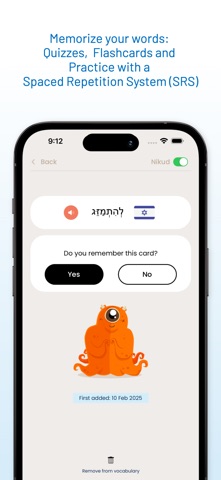
Learn Hebrew with Daily News and Music! Dvash is the ultimate app for Hebrew learners who want to improve their skills with real-world content. Every weekday, we bring you short news articles and Hebrew songs, designed to help you read, listen, and understand Hebrew more naturally. Why Dvash? • Daily Hebrew News → Read easy-to-understand news articles tailored for learners. • Hebrew Songs with Translations → Learn Hebrew through music with line-by-line translations. • Instant Translations & Audio → Tap on words or sentences to hear pronunciations and get definitions. • Adjustable Text Display → Read with or without Nikud (vowel markings) as you progress. • Vocabulary Building → Save words, track your progress, and review with quizzes. • Spaced Repetition System (SRS) → Remember words better with smart reviews. • Illustrated Learning → See images that match words to reinforce memory. With Dvash, Hebrew learning becomes effortless and engaging! Terms of Use: https://www.apple.com/legal/internet-services/itunes/dev/stdeula/
What's new · 1.57.1
• Verb conjugations are easier to learn, with a new grouped layout and audio for each form. • Copy Hebrew sentences: long-press a word to open the sentence, then tap the sentence to copy it. • Image captions now appear below the images in articles. • A new pop-up for notifications. • Fixed an issue where audio could stop playing after long use.
Details