

推し活配信カレンダー
Appricot Co.,Ltd. · Entertainment
Independent analytics for this App Store listing. AppTracker is not affiliated with Appricot Co.,Ltd.
Chart standing · US
What changed · US
Listing changes AppTracker has observed for this app in this storefront — new versions, price moves, rating shifts, and store copy.
Streamer Calendar is now myChannelList. - The YouTube channels you added carry over automatically - Import the channels you already follow in one step - See every upcoming stream in one calendar and get notified before it starts - New home screen widget Note: Twitch channels are no longer shown. Your current subscription carries over as is.
Screenshots



About
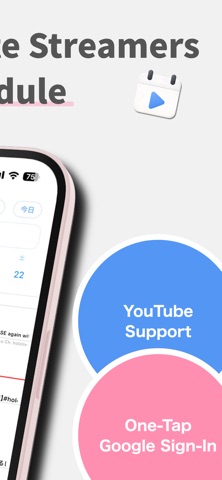
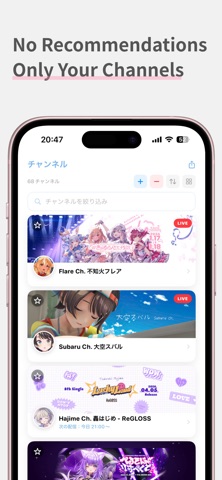
Every stream you follow, on one schedule. Stop hunting through subscriptions to find out who is live today. This app lines up the upcoming streams from the channels you follow and tells you before each one starts. [No recommendations] Only the channels you picked show up. No related videos, no algorithm, nothing you didn't ask for. Open it, check it, close it. [Import your channels in one go] Sign in with Google and bring over the channels you already subscribe to on YouTube. No searching and adding them one at a time. Free accounts can follow up to 10 channels; Pro raises the limit to 100. [Alerts you can actually tune] Choose how far ahead you want to hear about it: 5 minutes, 15 minutes, or off. Turn notifications on or off for each channel individually. [Home Screen and Lock Screen widgets] See the next stream without opening the app. It switches to LIVE the moment the stream starts. The small widget rotates through your lineup, so one tile covers several streams. [Dynamic Island] Live streams show up at the top of your iPhone. Tap to jump straight in. [A calendar built for streams] Streams are laid out on a timeline. Switch between a one-day and a two-day view, and scroll ahead to see what is coming. [Videos too] Not just live streams — uploaded videos show up alongside them. [Ten languages] English, Japanese, Simplified and Traditional Chinese, Korean, Spanish, French, German, Portuguese, and Thai. About Pro Pro raises your channel limit from 10 to 100 and removes every ad in the app. - Monthly or yearly plan - 7 days free for first-time subscribers - Payment is charged to your Apple ID account at confirmation of purchase - Subscriptions renew automatically unless auto-renew is turned off at least 24 hours before the end of the current period - Manage your subscription and turn off auto-renew in Settings > Apple ID > Subscriptions after purchase - Starting a subscription forfeits any unused portion of a free trial Terms of Use: https://www.apple.com/legal/internet-services/itunes/dev/stdeula/ Privacy Policy: https://appricot.jp/privacy-policy/ This app is independent and is not affiliated with, endorsed by, or sponsored by YouTube LLC or Google LLC.
What's new · 5.0.0
Streamer Calendar is now myChannelList. - The YouTube channels you added carry over automatically - Import the channels you already follow in one step - See every upcoming stream in one calendar and get notified before it starts - New home screen widget Note: Twitch channels are no longer shown. Your current subscription carries over as is.
Details