

WriCo - Writing Assistant
Otourou Da Costa · Productivity
Independent analytics for this App Store listing. AppTracker is not affiliated with Otourou Da Costa.
Chart standing · US
What changed · US
Listing changes AppTracker has observed for this app in this storefront — new versions, price moves, rating shifts, and store copy.
What’s New in Version 1.7.1 WriCo 1.7 is a major update for writers working on complex stories. • Ask Your Story now answers questions using your project’s scenes, characters, timeline, and narrative state—with supporting passages from your story. • Coherence analysis now surfaces narrative promises and missing payoffs, character-arc issues, timeline anomalies, world-state inconsistencies, knowledge gaps, and unresolved story threads. • Review narrative observations in a dedicated inbox and receive notifications when a new coherence report is ready. • Import existing projects and screenplays from PDF, DOCX, TXT, Markdown, RTF, Fountain, and Final Draft. Review extracted scenes, characters, locations, plots, relationships, and timeline data before applying. • Collaborate on shared projects with invitations, roles, and safer synchronized edits. • Explore richer timelines, stakes analysis, story-object tracking, and improved storyboards. • Use App Shortcuts and deep links to jump directly to your projects and story elements. • Improved indexing, performance, reliability, and iPad and Mac support.
Ratings breakdown · US
The star breakdown behind this app's rating in this storefront.
In-app purchases · US
What this app sells inside itself, grouped by kind and priced for this storefront.
Screenshots




About
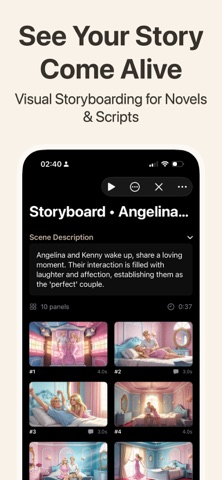
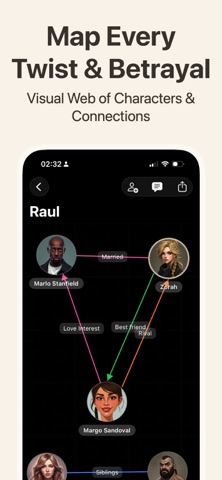
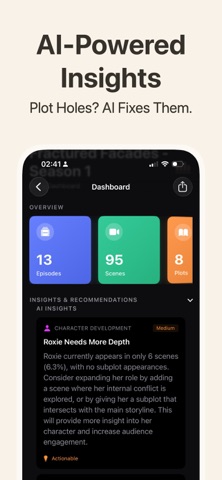
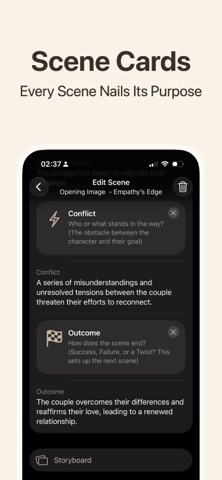
Plan your story. Keep it yours. WriCo (Writer Copilot) is a native story planner for novelists, screenwriters, narrative designers, and worldbuilders. Bring characters, locations, story objects, plots, episodes, scenes, notes, timelines, and storyboards into one calm workspace, and see how every part connects. Whether you outline everything first or discover the story as you write, WriCo builds structure without stifling creativity. BUILD YOUR STORY Character Development Profiles with goals, motivations, flaws, backstories, relationships, and evolving arcs. Track appearances, points of view, and cast balance. Plot and Scene Planning Organize acts, plots, subplots, episodes, and scenes. Give every scene a goal, conflict, outcome, decision, reveal, point of view, location, timeline, and cast. Reorder as the story evolves. Worldbuilding and Notes Keep locations, world rules, lore, and research in one searchable workspace, organized with groups, tags, and links. Visual Storyboarding Plan scenes shot by shot with action, dialogue, camera notes, composition, lighting, and images. Review in playback mode or export as a PDF. Relationship Maps Visualize character relationships and how plots, scenes, and story branches connect. UNDERSTAND YOUR STORY Ask Your Story Ask questions in your own words and get answers grounded in your project, with the passages they came from. Choose a quick answer, or a deeper analysis for questions needing evidence from across your story. Coherence Analysis Review your project for contradictions, timeline problems, weak motivations, unresolved conflicts, and promises that never pay off. WriCo surfaces observations. You remain in control of every creative decision. Story Statistics Follow character presence, point-of-view balance, scene distribution, pacing, and tension. Story Object Tracking Follow objects from introduction to resolution. Keep Chekhov's guns and clues visible from setup to payoff. WORK YOUR WAY - Capture ideas with notes, audio recordings, and speech-to-text. - Import documents and review the proposed structure before applying it. - Export a configurable PDF project bible, and re-import it later to continue your work. - Share projects with co-writers using invitations and project roles. - Open any character, scene, plot, or note through deep links. - Use WriCo on iPhone, iPad, and Mac, private projects synced through iCloud. AI THAT ASSISTS, NOT REPLACES WriCo generates, summarizes, and analyzes when you ask it to. Your voice, structure, and final decisions remain yours. Private projects are stored locally and can be synchronized through iCloud. Supported on-device AI runs on your device. Cloud AI, collaboration, and document import use the content required to provide those features. SUBSCRIPTIONS WriCo is free to use for story planning, private iCloud storage, and on-device AI. WriCo Plus - monthly or yearly - Collaboration - Cloud writing assistance - 100 AI text credits per month - 40 classic image generations per month WriCo Pro - monthly or yearly Everything in Plus, plus: - Premium image generation - Document import - 300 AI text credits per month - 60 classic image generations per month - 20 premium image generations per month Most AI text generations cost 1 credit. Deep analysis and character chat cost 5. Monthly allowances reset on the first day of each month. IMAGE TOP-UPS Classic image packs: 20, 50, or 120 images. Premium image packs: 5 or 20 images. Top-up packs do not expire. An active Plus or Pro plan is required to use image credits. Terms of Use (EULA): https://www.apple.com/legal/internet-services/itunes/dev/stdeula/ Privacy Policy: https://writercopilot.app/privacy-policy.html
What's new · 1.7.1
What’s New in Version 1.7.1 WriCo 1.7 is a major update for writers working on complex stories. • Ask Your Story now answers questions using your project’s scenes, characters, timeline, and narrative state—with supporting passages from your story. • Coherence analysis now surfaces narrative promises and missing payoffs, character-arc issues, timeline anomalies, world-state inconsistencies, knowledge gaps, and unresolved story threads. • Review narrative observations in a dedicated inbox and receive notifications when a new coherence report is ready. • Import existing projects and screenplays from PDF, DOCX, TXT, Markdown, RTF, Fountain, and Final Draft. Review extracted scenes, characters, locations, plots, relationships, and timeline data before applying. • Collaborate on shared projects with invitations, roles, and safer synchronized edits. • Explore richer timelines, stakes analysis, story-object tracking, and improved storyboards. • Use App Shortcuts and deep links to jump directly to your projects and story elements. • Improved indexing, performance, reliability, and iPad and Mac support.
Details