

Notebooks - Your Digital Notes
DROID-VEDA LLP · Productivity
Independent analytics for this App Store listing. AppTracker is not affiliated with DROID-VEDA LLP.
Chart standing · US
What changed · US
Listing changes AppTracker has observed for this app in this storefront — new versions, price moves, rating shifts, and store copy.
Price & rating history · US
Reconstructed from the listing changes AppTracker has observed in this storefront. A field is charted once it has changed more than once, and each line starts at the value it moved from.
Average rating · ★ 1.50 now · 6 changes on record
Ratings breakdown · US
The star breakdown behind this app's rating in this storefront.
In-app purchases · US
No in-app purchases.
Screenshots



About
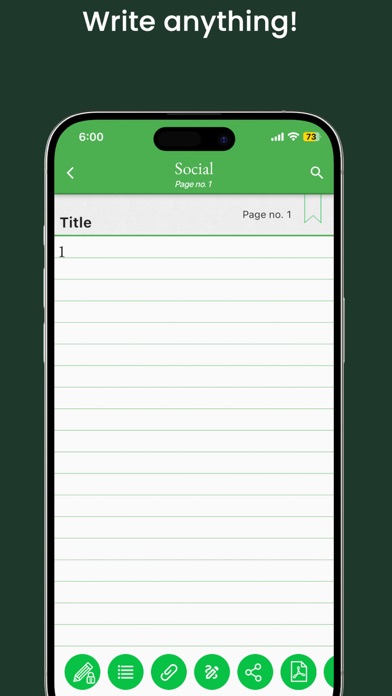
Take notes and even attach your free hand drawing, everything in style and completely without papers! Create multiple notebooks for every subject and avoid messing up your notes. Notebooks is the only application you will ever need for all your note making needs. Designed with flexibility and ease of use in mind, taking notes is now at it simplest with our application. With multiple colors and custom title for each notebook cover, you will enjoy creating a notebook for every subject you want. Notebooks is a must have application for students, business men and for anyone using their phones and tablets for taking notes. Features: 1. Create multiple notebooks. 2. Customizable cover, title, number of pages for every notebook. 3. Password protected. 4. Set a title for every page. 5. Instant search within each notebook. 6. Attach image files. 7. Bookmark a page. 8. Create your own free hand drawing. 9. Easily find your entries. 10. Set theme for each notebook. 11. Convert the entire Notebook to PDF with attachments. (Currently supports English only) 12. Backup/Restore. (***Option available in the menu of the Notebooks screen. Some devices will not have the hardware menu button on the device, in that case 'long press' the 'All Apps' button to get the menu on the app***) 13. Backup to Google Drive FAQs: http://www.droidveda.com/faq/faq_notebooks.html How to use? 1. Use '+' mark in the home screen to create new books. 2. Long tap on any book to edit/delete the book. 3. Use 'Password' option to set/reset the password. 4. On the Page tap on Page Header to set the Title for the page. 5. Make use of different editing options provided at the bottom of the page.
Details