

Mawlid Diba
Majlis Ansori · Books
Independent analytics for this App Store listing. AppTracker is not affiliated with Majlis Ansori.
Chart standing · US
What changed · US
Listing changes AppTracker has observed for this app in this storefront — new versions, price moves, rating shifts, and store copy.
• Last Read: pick up right where you left off — same chapter, same spot — from the home screen. • Hijri date adjustment: tap the date to shift it by ±1–2 days to match your local calendar. • The Hijri date now appears at the top with a calendar icon. • A more harmonious, comfortable color scheme across all pages, including dark mode. • Ornaments and translations on reading pages are easier to tell apart. • The Hijri date now updates automatically when the day changes. • Paused audio now resumes where it stopped instead of restarting. • More reliable audio downloads — no more duplicate downloads of the same file. • The Audio List now always plays in chapter order. • Audio position and duration labels are no longer swapped. • Corrected the Author Biography (French, Russian, Uzbek) and several other translations.
Screenshots



About
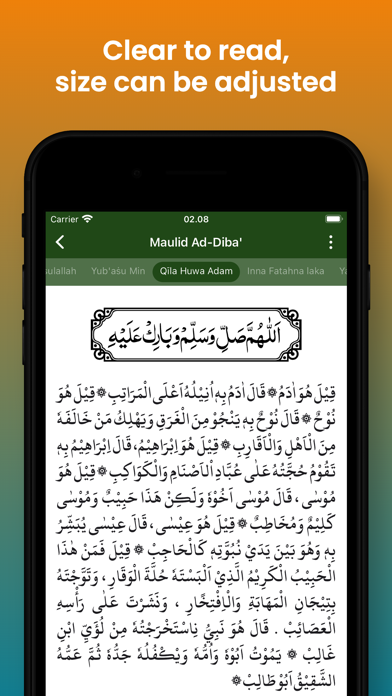
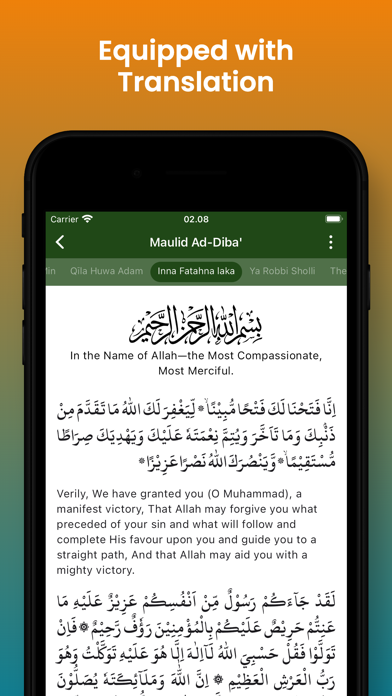
Mawlid Diba is an application that contains praise and poetry to commemorate the history of the Prophet Muhammad PBUH. Explore the beauty of the History of the Prophet in full with clear Arabic text and in-depth Indonesian translation. Mawlid ad-Diba'i is a valuable source for honoring and glorifying the Prophet Muhammad PBUH through beautiful poetry and praise created by Al-Imam As-Sheikh Abdurrahman Ad-Diba'i. This is the right Apk to explore and experience the beauty of meaningful poetry that describes the greatness of Rasulullah PBUH. Application Features: 1. Changing Text Size You can adjust the size of Arabic and Latin letters by clicking the three dots icon at the top right, then slide the slider to adjust the size of the letters. 2. Translation Allows you to display or hide translations, so that when reading Arabic writing it is as if you were reading the Koran without being separated by meaning. The way to show or hide translations is to click the three-dot icon at the top right, then switch the show/hide translation button. 3. Night Mode Night Mode protects your eyes from too bright light when reading Rawi at night. The way to do this is by clicking the Night Mode switch on the Settings page
What's new · 1.0.7
• Last Read: pick up right where you left off — same chapter, same spot — from the home screen. • Hijri date adjustment: tap the date to shift it by ±1–2 days to match your local calendar. • The Hijri date now appears at the top with a calendar icon. • A more harmonious, comfortable color scheme across all pages, including dark mode. • Ornaments and translations on reading pages are easier to tell apart. • The Hijri date now updates automatically when the day changes. • Paused audio now resumes where it stopped instead of restarting. • More reliable audio downloads — no more duplicate downloads of the same file. • The Audio List now always plays in chapter order. • Audio position and duration labels are no longer swapped. • Corrected the Author Biography (French, Russian, Uzbek) and several other translations.
Details