

Flow Nodes
Anton Heestand · Graphics & Design
Independent analytics for this App Store listing. AppTracker is not affiliated with Anton Heestand.
Chart standing · US
What changed · US
Listing changes AppTracker has observed for this app in this storefront — new versions, price moves, rating shifts, and store copy.
iPhone Duo support and a crash on launch fix
Ratings breakdown · US
The star breakdown behind this app's rating in this storefront.
In-app purchases · US
What this app sells inside itself, grouped by kind and priced for this storefront.
Screenshots


About
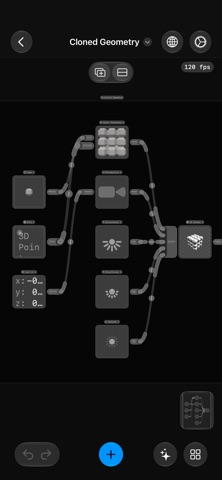
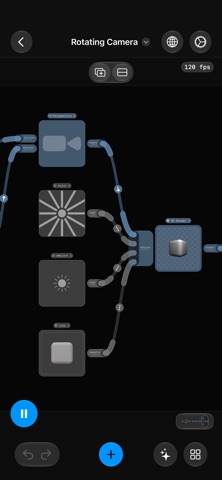
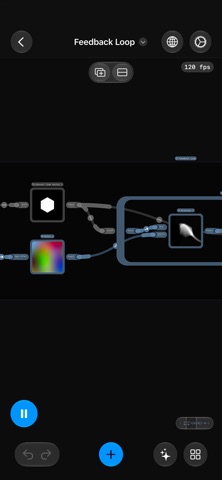
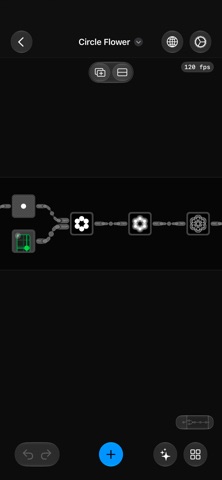
Flow Nodes is a visual programming app for building live graphics, video effects, 3D scenes, and custom interfaces — just connect nodes, no code required. Start from ready-made presets in Discover, follow built-in tutorials, or build from scratch. Combine image processing, video, animation, math, networking, and UI with realtime inputs like camera, microphone, motion sensors, body, hand and face tracking, MIDI, OSC, and NDI. Built for realtime creation. Nodes arrange themselves as you connect them. Search and add nodes quickly, edit properties in the inspector, animate with a keyframe timeline, and reuse flows inside other flows. Organize projects in folders, split the canvas into tabs and panes, and navigate with a mini-map and live previews. Import and export images (including HDR), video, and 3D assets, record any output to video, and AirPlay content over Wi-Fi or HDMI. On supported devices, Apple Intelligence helps you understand and edit flows: read node docs, review connections, and use chat to create, connect, and update nodes with natural language. Automate flows with Shortcuts. Node Features - AI nodes for image generation, Image Playground, and chat - Live video: camera, background removal, chroma key, and text detection - Body, hand, and face tracking - Video playback, frame sampling, and recording - Keyframe timeline with bezier curves - OSC, MIDI, NDI, and network requests for realtime control - 3D rendering of geometry, particle fields, and Gaussian splats - Cameras, lights, projectors, and 360° equirectangular and cube map tools - Vector and geometry tools: shapes, clones, extrude, lathe, and transforms - UI nodes: buttons, sliders, labels, text fields, grids, stacks, and overlays - JavaScript and Metal shader nodes for custom logic and effects - Sensors: motion, microphone, location, game controllers, and haptics - Data and state: typed values, lists, maps, math, time, and signals Some nodes require Pro Nodes access. Your flows sync across devices with iCloud. Privacy Policy https://flownodes.app/privacy-policy.html Terms of Use https://flownodes.app/terms-of-use.html
What's new · 27.2.1
iPhone Duo support and a crash on launch fix
Details