

Smart Printer App for HP ℠
Rasida Udya · Business
Independent analytics for this App Store listing. AppTracker is not affiliated with Rasida Udya.
Chart standing · US
What changed · US
Listing changes AppTracker has observed for this app in this storefront — new versions, price moves, rating shifts, and store copy.
Price & rating history · US
Reconstructed from the listing changes AppTracker has observed in this storefront. A field is charted once it has changed more than once, and each line starts at the value it moved from.
Average rating · ★ 4.31 now · 9 changes on record
Ratings breakdown · US
The star breakdown behind this app's rating in this storefront.
In-app purchases · US
What this app sells inside itself, grouped by kind and priced for this storefront.
Screenshots




About
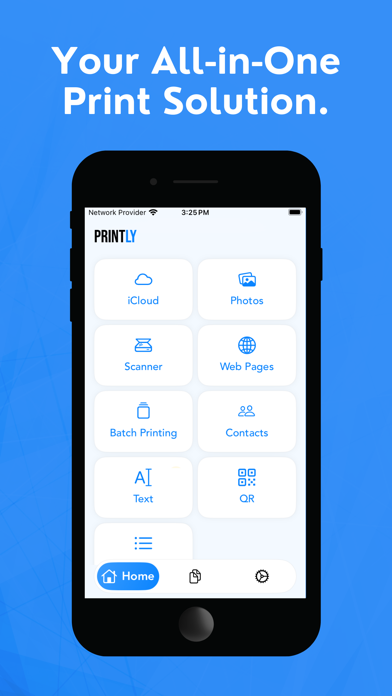
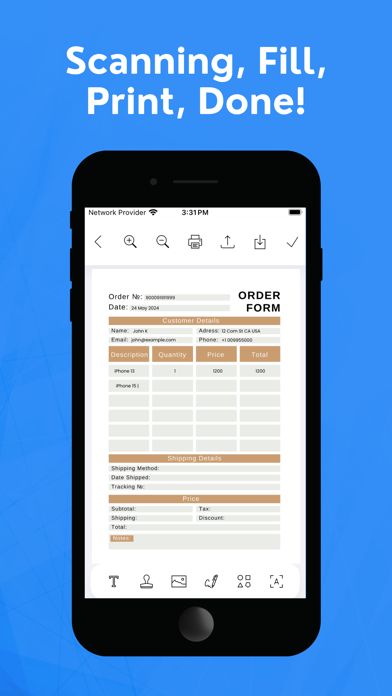
Print directly from your iPhone, iPad, Macbook, iMac with the all-in-one Smart Printer App: Printly – the fastest, easiest way to print photos, documents, and web pages on the go. Whether you're printing at home, in the office, or wirelessly on the move, Printly supports AirPrint and works seamlessly with all major printer brands. Key Features: Print Photos, PDFs, and Documents ‣ Print high-quality images and PDF files from your photo library, email, or cloud storage. Wireless Printing Made Easy ‣ Connect to any WiFi printer including HP, Canon, Epson, Brother, Phomemo, Sprocket, Pixma, Envy, Ivy, Wepa, and more. Scan to PDF or Image ‣ Use your device’s camera to scan paper documents, receipts, or forms and save or print them instantly. AirPrint Support ‣ Enjoy instant printing without installing drivers – just tap and print with Apple’s AirPrint technology. Print Web Pages & Emails ‣ Print web content, email attachments, and online files straight from your Safari or Mail app. Smart File Manager ‣ Import and print from Dropbox, Google Drive, iCloud, Files app, and other storage apps. Easy Printer Setup ‣ Auto-detect nearby printers and connect quickly through WiFi, Bluetooth, or USB (with adapter). Supports Popular Printer Models: Compatible with: ‣ HP OfficeJet, DeskJet, Envy, LaserJet ‣ Canon PIXMA, MAXIFY, SELPHY ‣ Epson EcoTank, WorkForce, Expression ‣ Brother HL, MFC, DCP series ‣ Phomemo, Sprocket, and thermal printers Print From Anywhere: ‣ Whether you need to print from iPhone, iPad, Macbook, Printly gives you the freedom to manage documents, photos, and scans – anytime, anywhere. Why Choose Printly? ‣ No signup or account needed. ‣ All data is processed locally – we respect your privacy. ‣ Works with most inkjet and laser printers. ‣ 4/7 email support for troubleshooting. Start printing smarter today with Printly – your ultimate all apple devices supported printing and scanning app. Subscription Information: + Weekly 3.99 USD + Monthly 7.99 USD + Yearly 24.99 USD • Payment will be charged to your iTunes Account at confirmation of purchase. • Subscription automatically renews unless auto-renew is turned off for at least 24-hours before the end of the current period. • Account will be charged for renewal within 24-hours prior to the end of the current period at the cost of the chosen package. • Subscriptions may be managed by the user and auto-renewal may be turned off by going to the user's Account Settings after purchase. • No cancellation of the current subscription is allowed during the active subscription period. Privacy policy: https://printlyapp.com/privacy-policy/ Terms of use: https://printlyapp.com/terms-and-conditions/ FAQs: https://printlyapp.com/faqs/ Do you need support? Please write us to: contact.printlysoftware@gmail.com
What's new · 2.0
Minor bug fixes and performance enhancements.
Details