

Transfer My Contacts
1000914058 ONTARIO INC. · Utilities
Independent analytics for this App Store listing. AppTracker is not affiliated with 1000914058 ONTARIO INC.
Chart standing · US
What changed · US
Listing changes AppTracker has observed for this app in this storefront — new versions, price moves, rating shifts, and store copy.
Price & rating history · US
Reconstructed from the listing changes AppTracker has observed in this storefront. A field is charted once it has changed more than once, and each line starts at the value it moved from.
Average rating · ★ 4.34 now · 12 changes on record
Ratings breakdown · US
The star breakdown behind this app's rating in this storefront.
Screenshots


About
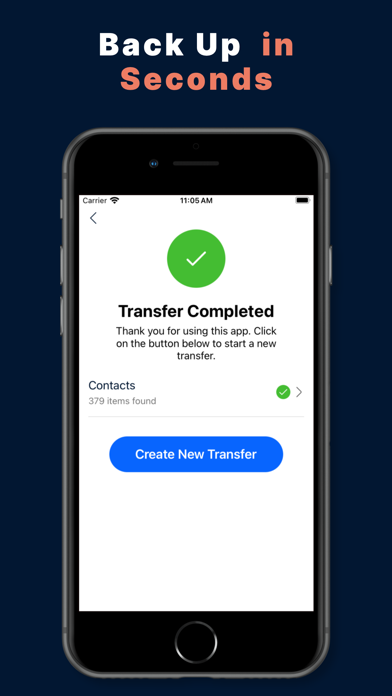
Switching phones? Transfer Contacts lets you move all your contacts from one device to another in seconds — whether you're going from Android to iPhone, iPhone to Android, or any combination. No cables, no cloud accounts, no hassle. HOW IT WORKS 1. Open the app on your old phone and tap "Send Contacts" 2. Select which contacts to transfer — or send them all 3. A 6-digit PIN appears on screen 4. Open the app on your new phone and tap "Receive Contacts" 5. Enter the PIN — done! Your contacts are saved instantly It's that simple. No sign-up, no email, no passwords. WHY USERS LOVE TRANSFER CONTACTS Works across platforms — Android to iPhone, iPhone to Android, or same platform transfers. No account required — just install, open, and transfer. Transfers all contact details — names, phone numbers, emails, addresses, birthdays, company info, and more. Smart duplicate detection — won't import contacts you already have. Lightning fast — transfer hundreds of contacts in seconds, not hours of manual typing. Secure PIN-based transfer — your contacts stay private with a 60-minute expiring PIN. COMPLETE CONTACT DATA Transfer Contacts preserves every detail: - Names (first, middle, last, prefix, suffix) - Multiple phone numbers per contact - Multiple email addresses - Physical addresses (street, city, state, zip, country) - Birthdays - Company, job title, department - Website URLs - Notes Nothing gets lost in the transfer. PERFECT FOR New phone setup — move all contacts to your new device in one go. Switching from Android to iPhone (or vice versa) — cross-platform transfer made easy. Sharing contacts with family or coworkers — send specific contacts to anyone. Backing up contacts — send your contact list to another device as a safety net. AVAILABLE IN 34 LANGUAGES English, Spanish, French, German, Italian, Portuguese, Japanese, Korean, Chinese, Arabic, Hindi, Thai, Vietnamese, Indonesian, Russian, Turkish, Polish, Dutch, Swedish, Norwegian, Danish, Finnish, Czech, Greek, Hungarian, Romanian, Bulgarian, Croatian, Serbian, Slovenian, Lithuanian, Estonian, Ukrainian, and more. Download Transfer Contacts now and move your contacts to your new phone in seconds.
What's new · 2.1.6
performance improvement & bug fixes
Details