

Playlist Transfer for My Music
Virals Dijital Hizmetler Anonim Sirketi · Music
Independent analytics for this App Store listing. AppTracker is not affiliated with Virals Dijital Hizmetler Anonim Sirketi.
Chart standing · US
What changed · US
Listing changes AppTracker has observed for this app in this storefront — new versions, price moves, rating shifts, and store copy.
• Faster and more reliable playlist transfers • Improved song matching accuracy • Bug fixes and performance improvements
Price & rating history · US
Reconstructed from the listing changes AppTracker has observed in this storefront. A field is charted once it has changed more than once, and each line starts at the value it moved from.
Average rating · ★ 4.34 now · 2 changes on record
Ratings breakdown · US
The star breakdown behind this app's rating in this storefront.
In-app purchases · US
What this app sells inside itself, grouped by kind and priced for this storefront.
Screenshots



Keywords this app targets
Search terms AppTracker associates with this app — estimates, not search volume. ❝ = in the app's title; a highlighted number is its current position for that term.
Similar apps
Competitors and close alternatives, as estimated by AppTracker.
 Music transfer & stats: Swapy
Maryana Yurieva
2 shared topics · 2 shared title words
Music transfer & stats: Swapy
Maryana Yurieva
2 shared topics · 2 shared title words
 MusConv: Playlist Transfer
Roman Panas
1 shared topic · 2 shared title words
MusConv: Playlist Transfer
Roman Panas
1 shared topic · 2 shared title words
 FreeYourMusic: Move Playlists
Hernas OU
1 shared topic
FreeYourMusic: Move Playlists
Hernas OU
1 shared topic
 SongShift
2 shared topics
SongShift
SongShift
2 shared topics
 SpotiApp - export music
Elina Kochetkova
2 shared topics · 1 shared title word
SpotiApp - export music
Elina Kochetkova
2 shared topics · 1 shared title word
 Soundiiz
BRICKOFT
1 shared topic
Soundiiz
BRICKOFT
1 shared topic
 Spotify: Music and Podcasts
Spotify
1 shared topic · 1 shared title word
Spotify: Music and Podcasts
Spotify
1 shared topic · 1 shared title word
 Youtify - Music & Playlists
Thai Huy Nguyen
1 shared topic · 1 shared title word
Youtify - Music & Playlists
Thai Huy Nguyen
1 shared topic · 1 shared title word
About
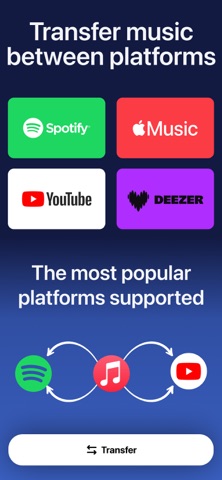
Playlist Transfer will help you to transfer your music from one platform to another. You can transfer your favorite albums, playlists, and songs to another music provider just in seconds with Playlist Transfer app. All you need to do is to connect your music services, choose the music you want to transfer and let Playlist Transfer app to discover compatible matches on the new music platform. Now you can enjoy your favorite music in your favorite platform Playlist Transfer makes it super easy to transfer music to other platforms. Move your entire music library into a new music platform in seconds. Share music without limits! Works across all streaming apps. Share your playlist story on social media platform to let your friends discover new music and playlists. Playlist Transfer app supports many different music services such as Spotify, Apple Music, YouTube, Tidal and more are coming. Frustrated with your streaming service? Download Playlist Transfer app now to transfer your favorite music across music platforms! Transfer your music from Spotify to Apple Music or Apple Music to Spotify. Don’t make your playlists again and again on every music service you use. Simply transfer your music with Playlist Transfer app. How to Transfer Your Music with Playlist Transfer app? 1. Login with your current music platform such as Spotify, Apple Music etc. 2. Select the music platform that you want to transfer your music 3. Pick your favorite songs, albums, playlists that you want to transfer 4. Review and confirm the music transfer 5. Let Playlist Transfer app to transfer your music in seconds Check your music stats with Playlist Transfer for Spotify Music Stats: - Your top tracks, top artists and top albums - How much you listen music on Spotify - Music stats and song features (popularity, danceable, energetic…) - Your lifetime Spotify streaming history for songs / artists / albums - Personalized statistics for every song, artist, album on Spotify - Find out popularity scores for every song, artist, album - Discover new music with suggested songs Supported Music Services - Spotify - Apple Music - YouTube - Soundcloud - Deezer Download now and transfer your first 50 songs for free! Do you have any questions about Playlist Transfer app? We love receiving your feedback. You can reach us from: hello@virals.app You can find terms and privacy links of Playlist Transfer in here: https://www.virals.app/terms https://www.virals.app/privacy
What's new · 13.14.0
• Faster and more reliable playlist transfers • Improved song matching accuracy • Bug fixes and performance improvements
Details