

Chronodev - Darkroom Timer
Kevin Olmats · Photo & Video
Independent analytics for this App Store listing. AppTracker is not affiliated with Kevin Olmats.
Chart standing · US
Ratings breakdown · US
The star breakdown behind this app's rating in this storefront.
In-app purchases · US
No in-app purchases.
Screenshots
About
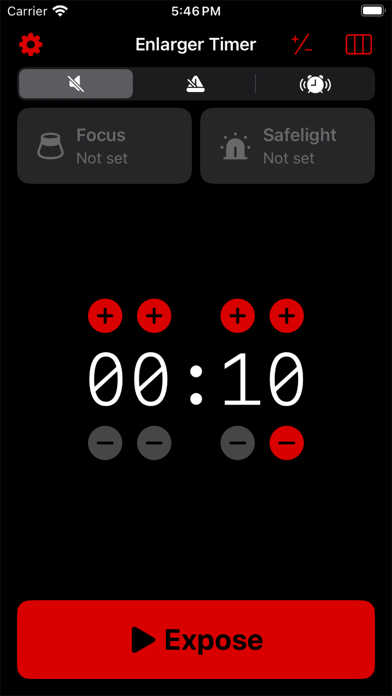
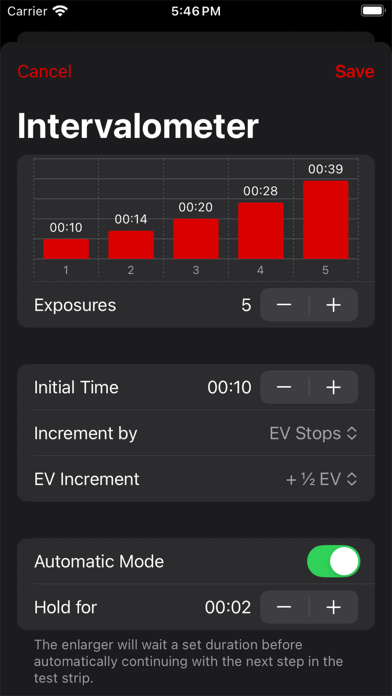
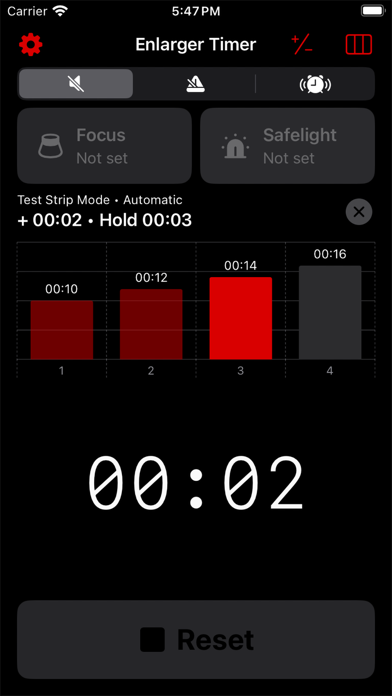
Transform your iPhone into an enlarger timer using Chronodev. Chronodev uses HomeKit-enabled wall plugs and lightbulbs to control your enlarger and safelights. Secondhand enlarger timers can be expensive and hard to find. This one costs the price of a wi-fi wall plug. - Control your enlarger and safelight with your iPhone or iPad - Expose prints accurately using the HomeKit-enabled timer - Manual enlarger control for focusing - Use the metronome for dodging and burning - Adjust times using EV stops - Automatically create test strips with incremental exposures, and keep track of exposure times using a handy graph - Automatically turn your safelight off when exposing/focusing - Voice control support for hands-free development - Safe to use in black and white darkrooms when using iOS's built-in red color filter A HomeKit-enabled wall plug and/or lightbulb is required to use all features of this app. Some features (like a basic timer and EV stop calculations) are available without a HomeKit-enabled device.
What's new · 1.0.1
- Bug fixes
Details