

Bebop: Quick Notes
Jack Cheng LLC · Productivity
Independent analytics for this App Store listing. AppTracker is not affiliated with Jack Cheng LLC.
Chart standing · US
Ratings breakdown · US
The star breakdown behind this app's rating in this storefront.
In-app purchases · US
What this app sells inside itself, grouped by kind and priced for this storefront.
Screenshots



About
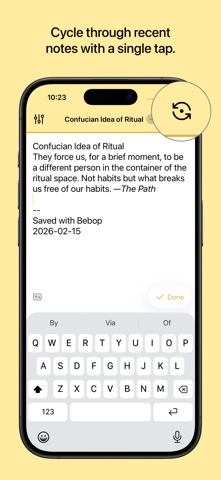
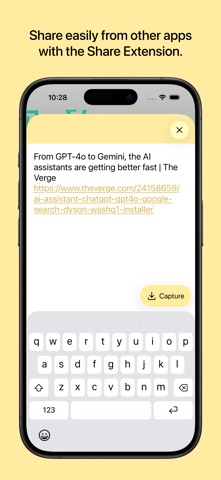
Bebop helps you get down your ideas, fast. It assumes that review and organization are better done on larger screens—that a mobile text editor should be lightning-fast, clutter-free, and capture-first. • No ads, no logins, no tracking: Files are synced natively to your chosen iCloud Drive or Dropbox folder • BYOMA (Bring Your Own MacOS App): Open plain-text formats like .txt and .md/markdown plug neatly into Obsidian • Custom headers, footers, and filename formats: To work with your workflow • Flashback notes: Cycle through recent notes with a single tap • Share extension: Quickly save links and text from other iOS apps • Widgets and shortcut: Launch Bebop in any number of ways • Unlimited notes (even for free users) For a one-time Pro upgrade (no subscriptions!) you’ll also get color themes, custom templating, power-user settings, and help support future development. --- Bebop is made by Jack Cheng, an author and solo developer in Detroit, Michigan. More info and privacy policy: https://www.jackcheng.com/bebop/ * Dropbox sync requires you to have the Dropbox iOS app installed.
What's new · 1.3.0
This update comes with one main new feature: Quick Append. Start a note with @ (or choose your preferred trigger in Settings) to pick an existing file. Your note will append to that file instead saving the usual way. So if you typically use a daily format like 2026-05-24.md, this lets you target other files like To read.md or Blog.md. I like keeping a note for each major project, e.g. Bebop.md. Give it a try! Other fixes and improvments in this build: - Editor now auto-continues lists - Editor line spacing is a smidge roomier, with less scroll jumping while editing long notes - Improved toolbar and bottom bar touch handling, including larger tap areas for Settings and Flashback - Fixed the markdown helper bar making the editor too wide when iOS Show Borders is enabled —Jack
Details