

Live Caption AI
Live Caption, Inc. · Utilities
Independent analytics for this App Store listing. AppTracker is not affiliated with Live Caption, Inc.
Chart standing · US
What changed · US
Listing changes AppTracker has observed for this app in this storefront — new versions, price moves, rating shifts, and store copy.
A cleaner home screen and easier sign-in. • The home screen now fits every iPhone, including with Larger Text turned on — nothing overlaps, and it scrolls when it needs to • Signing in with an email code is easier: see which address the code went to, where to look if it hasn't arrived, and send a new code from the same screen • Clearer messages when something goes wrong, including account deletion • Settings now shows the correct version number Thanks for using Live Caption AI!
Screenshots


About
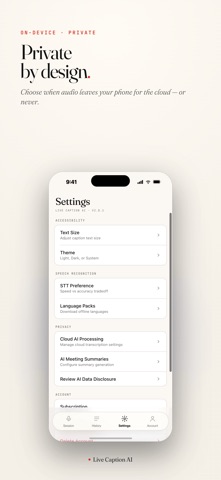
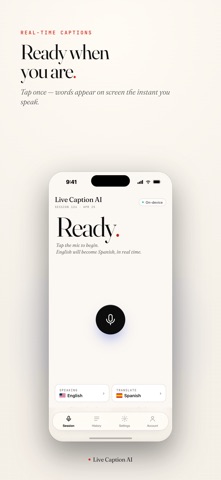
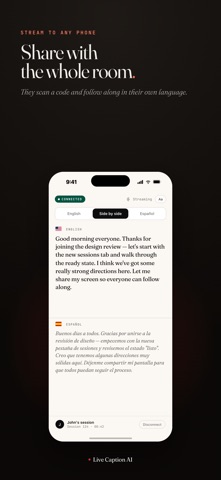
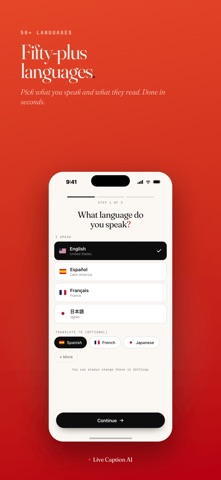
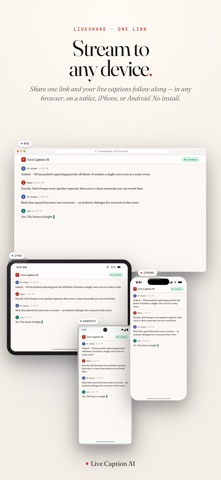
Live Caption AI turns speech into live captions — on your screen, or on every phone in the room. Built for churches, conferences, classrooms, meetings and events where people need to follow every word. LIVE CAPTIONS Tap the mic and captions appear as people speak. Captioning on your device is free; Professional adds cloud speech recognition for accents, noisy rooms and distant microphones. BROADCAST TO EVERY PHONE Share a QR code and your audience reads the captions live on their own phones — no app or account needed for viewers. Reserve up to 5 broadcast links ahead of time and print their QR codes on bulletins, programs or signs; the same code works every week. LIVE TRANSLATION Translate captions into any of 29 languages as people speak, and your audience can follow along in the translated language on their phones. Professional includes 8 hours of translation each month, with top-ups available. SPECIALIZED RECOGNITION Choose General, Medical, Worship & Ministry, or Finance & Earnings — and add up to 100 Custom Terms of your own: names, places, scripture books, product names, specialist vocabulary. AI SUMMARIES Turn any session into a Brief Overview, Detailed Summary, Action Items, or Meeting Notes in one tap. YOUR TRANSCRIPTS Every session is saved to History. Search them, and export as TXT, SRT subtitles, JSON or PDF. PRIVACY We never store your session audio. Transcripts stay in your account until you delete them, and you can delete your account and data from inside the app at any time. PLANS • Free: on-device captioning • Professional: $19.99/month or $199.99/year — cloud speech recognition, live translation, broadcasting to phones, reserved broadcast links, AI summaries and Custom Terms
What's new · 2.0.11
A cleaner home screen and easier sign-in. • The home screen now fits every iPhone, including with Larger Text turned on — nothing overlaps, and it scrolls when it needs to • Signing in with an email code is easier: see which address the code went to, where to look if it hasn't arrived, and send a new code from the same screen • Clearer messages when something goes wrong, including account deletion • Settings now shows the correct version number Thanks for using Live Caption AI!
Details