

Screen Mirroring・Smart TV Cast
Poster App LLP · Utilities
Independent analytics for this App Store listing. AppTracker is not affiliated with Poster App LLP.
Chart standing · US
What changed · US
Listing changes AppTracker has observed for this app in this storefront — new versions, price moves, rating shifts, and store copy.
- Minor Bug fixes
Price & rating history · US
Reconstructed from the listing changes AppTracker has observed in this storefront. A field is charted once it has changed more than once, and each line starts at the value it moved from.
Average rating · ★ 4.10 now · 4 changes on record
Ratings breakdown · US
The star breakdown behind this app's rating in this storefront.
In-app purchases · US
No in-app purchases.
Screenshots






About
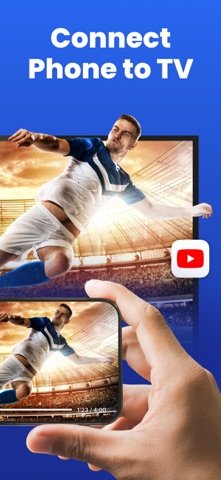
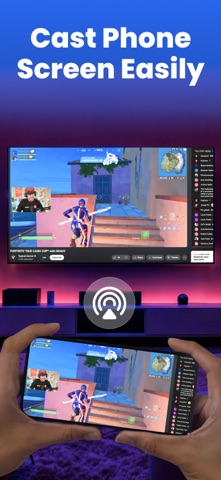
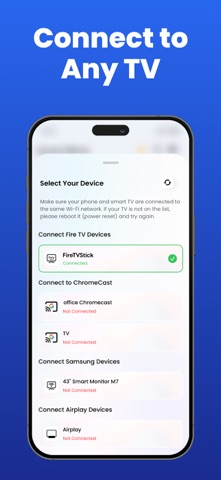
Screen Mirror: Screen Casting Made Easy Screen Mirror is a versatile and user-friendly screen-casting tool that lets you effortlessly mirror your screen to any smart TV connected to the same Wi-Fi network. With no delay, you can wirelessly mirror your mobile screen in real time, allowing you to showcase any content on a larger display. Key Features: Wireless Screen Mirroring: Mirror your mobile screen to any smart TV without the need for additional hardware, providing a seamless viewing experience. Versatile Content Casting: Quickly cast games, videos, music, and more from your mobile device to your TV for an immersive entertainment experience. Enhanced Presentations: Make your presentations more impactful by casting them on a bigger screen during business meetings or educational sessions. Whiteboard Functionality: Use the built-in whiteboard feature to easily present and explain ideas in meetings, classes, or any other setting. Online Classes and Meetings: Cast online classes or conduct smooth online meetings with live video streaming directly on your TV. Family Gatherings: Share memories with loved ones by casting a memory album on the big screen at family parties or gatherings. DLAN and AirPlay Support: Utilize DLAN and AirPlay projection methods for flexible and reliable screen mirroring options. Screen Recording: Record your screen directly from the app for future reference or sharing. Subscription Details: Screen Mirroring offers premium features through auto-renewable subscriptions. Payment will be charged to your Apple ID account upon confirmation of purchase. Subscriptions automatically renew unless canceled at least 24 hours before the end of the current period. You can manage your subscription and turn off auto-renewal in your account settings. For more details on managing subscriptions, visit: https://support.apple.com/en-us/HT202039 Privacy Policy: https://screen-mirroring.posterapplab.com/privacy_policy Terms of Use: https://screen-mirroring.posterapplab.com/terms Screen Mirror offers a seamless and convenient way to cast your screen to any smart TV, making it ideal for entertainment, education, and business purposes. Download Screen Mirror now and experience the convenience of wireless screencasting!
What's new · 1.9.21
- Minor Bug fixes
Details