

Desk Clock: Pomodoro Timer
筱彤 余 · Reference
Independent analytics for this App Store listing. AppTracker is not affiliated with 筱彤 余.
Chart standing · US
In-app purchases · US
What this app sells inside itself, grouped by kind and priced for this storefront.
Screenshots


About
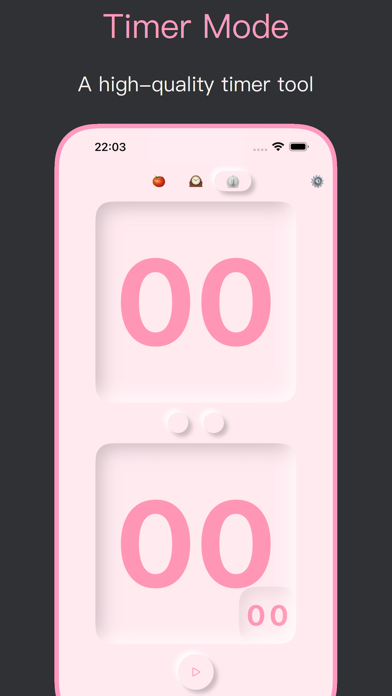
Desktop Clock is a desktop clock app designed for students and professionals. It provides three modes: Clock, Pomodoro, and Timer. It helps you focus and be more efficient, and also makes your phone's desktop more beautiful. #Who needs it? 1. Difficult to focus on your work or studies 2. Feelings of worry, nervousness, or unease 3. Looking to improve your productivity 4. Making phone's desktop more stylish #Key features: 1. Minimalist clock: No ads, no clutter, just a large, clear clock face that's easy to read. The minimalist clock face won't distract you from your work. 2. Pomodoro: Flexible settings for focus and break times, plus a selection of ambient sounds to help you get into the zone. 3. Timer: Simple, easy-to-use interface for timing workouts, cooking, or anything else you need to keep track of. 4. Customization options: Choose from a variety of themes, including landscape mode, dark mode, a variety of colorful themes and personalized icons. Get started today and see how Desk Clock can help you focus, be more productive, and make your phone's desktop more beautiful! #Payments and Renewal After confirming the purchase, your Apple account will be charged, and the subscription will be automatically renewed if you purchase a monthly or yearly subscription, your Apple account will be charged 24 hours before the expiration date, and the subscription cycle will be postponed to the next subscription cycle after the successful deduction of the charge. If you want to cancel the automatic subscription, please turn off the auto-renewal function 24 hours before the end of the current subscription cycle. You can cancel your subscription by going to "Settings" --> click "Apple ID", click "Subscribe" and select "Desktop Clock" to unsubscribe. If the recharge does not arrive, please send your Apple ID and debit voucher to dev@bapaws.com. Terms of Service: https://privacy.bapaws.com/calendar/terms.html. Privacy Policy: https://privacy.bapaws.com/calendar/privacy.html. #Contact us: If you have any suggestions, welcome to chat with us. E-mail: dev@bapaws.com
What's new · 1.2.1
What's New: - Fix some issues.
Details