

Object Remover - AI Cleanup
通 张 · Photo & Video
Independent analytics for this App Store listing. AppTracker is not affiliated with 通 张.
Chart standing · US
What changed · US
Listing changes AppTracker has observed for this app in this storefront — new versions, price moves, rating shifts, and store copy.
- Refreshed home screen and more compact editing controls. - Smoother brushing and improved before-and-after comparison. - Added 9 languages, including Hindi, and refined translations.
Price & rating history · US
Reconstructed from the listing changes AppTracker has observed in this storefront. A field is charted once it has changed more than once, and each line starts at the value it moved from.
Average rating · ★ 4.31 now · 3 changes on record
Ratings breakdown · US
The star breakdown behind this app's rating in this storefront.
In-app purchases · US
What this app sells inside itself, grouped by kind and priced for this storefront.
Screenshots





About
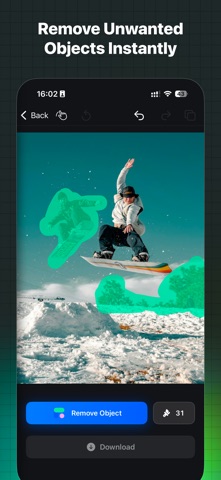
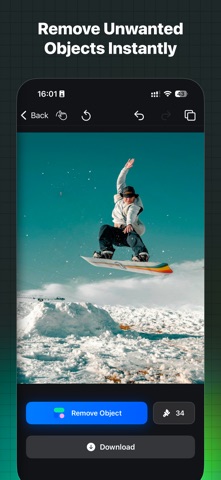
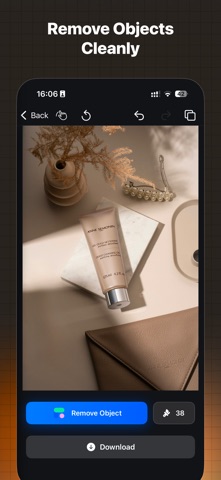
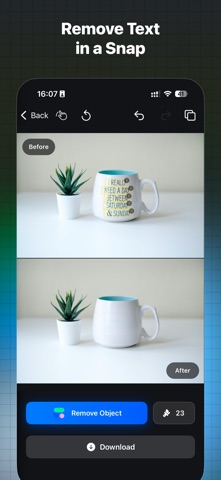
Remove unwanted objects, people and text from photos with AI. Object Remover is an offline photo eraser for Mac, iPhone and iPad. Keep the moment. Clear the distractions. From a photobomber in a travel shot to clutter around a product, choose what to remove and let AI fill the selected area using the surrounding scene. MAKE YOUR SUBJECT STAND OUT - Remove unwanted people from travel photos and everyday pictures. - Clean up distracting cables, litter and small background objects. - Erase unwanted text, logos and watermarks. - Touch up small marks and blemishes. AI CLEANUP, WITH YOU IN CONTROL Brush over an unwanted object and adjust the brush size for the area you want to edit. For people and text, use automatic detection to find regions, then choose which ones to remove. Compare your result with the original, undo an edit or redo a change as you refine your photo. You decide when it is ready to save. OFFLINE IMAGE PROCESSING AI photo editing runs locally on your device. No photo uploads are required for object removal. Image processing works offline; purchases, purchase restoration and optional online services need an internet connection. A SIMPLE WORKFLOW ON MAC, IPHONE AND IPAD 1. Choose an image from Photos or your files. 2. Brush over a distraction or detect people and text. 3. Remove the selected area, compare the result and save your photo. For detailed backgrounds or larger objects, work in smaller areas and review each edit. Results depend on the photo and the area you select. START WITH 10 FREE SAVES Try Object Remover with 10 free credits. Each successfully saved image uses 1 credit. Preview and refine your edits before saving. Upgrade to Pro for unlimited saves while your access is active. Choose a monthly or yearly subscription, or a one-time lifetime purchase. Current prices are shown in the app before purchase. Subscriptions renew automatically until canceled and can be managed in your App Store account settings. Pick a photo you love. Give the moment room to shine. Website: https://objectremover.com Support: support@objectremover.com Privacy Policy: https://objectremover.com/privacy-policy Terms of Use: https://objectremover.com/terms
What's new · 1.3.0
- Refreshed home screen and more compact editing controls. - Smoother brushing and improved before-and-after comparison. - Added 9 languages, including Hindi, and refined translations.
Details