

Manga Art
Kawaii, Incorporated · Graphics & Design
Independent analytics for this App Store listing. AppTracker is not affiliated with Kawaii, Incorporated.
Chart standing · US
What changed · US
Listing changes AppTracker has observed for this app in this storefront — new versions, price moves, rating shifts, and store copy.
Ratings breakdown · US
The star breakdown behind this app's rating in this storefront.
In-app purchases · US
What this app sells inside itself, grouped by kind and priced for this storefront.
Screenshots

About
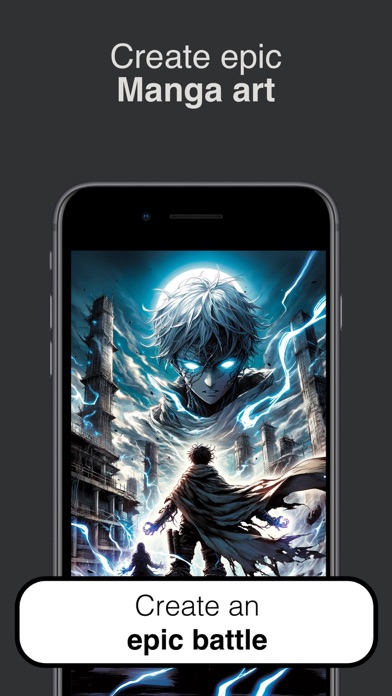
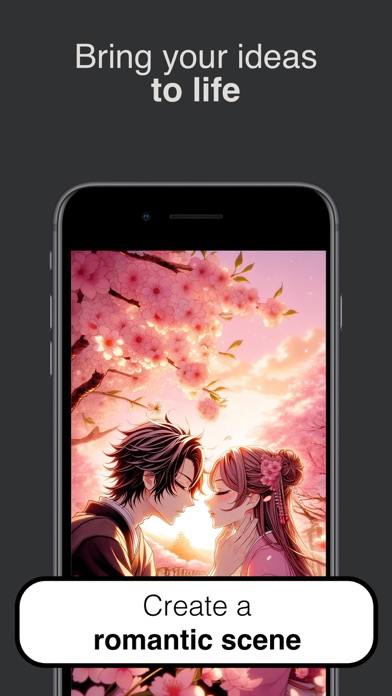
Make manga from a single sentence. Manga Art turns plain English into a finished, fully-inked manga panel. Type what you want to see — "a lone samurai under cherry blossoms," "a mecha pilot rising from a wrecked cockpit," "a shy classroom confession" — pick a style, and tap Draw. The page fills in for you. Made for everyone — fans who can't draw a stick figure, writers who need cover art for a serial, hobbyists who want a 60-second sketch to share, and longtime artists looking for fast moodboards. — TWELVE DISTINCT MANGA STYLES — • Default — clean, classic black ink • Shonen — dynamic action lines, bold posing • Shojo — soft shading, sparkles, expressive eyes • Seinen — gritty mature line work • Chibi — super-deformed, cute proportions • Mecha — intricate robots, cross-hatching • Full Color — modern smooth digital shading • Ink Brush — sumi-e calligraphy strokes • Watercolor — pastoral, soft hand-painted feel • Cyberpunk — neon-lit, dense urban detail • Horror — fine-line dread and atmosphere • Slice of Life — gentle screentones, quiet moments Each style has a sample preview right in the picker so you know what you're getting before you spend a credit. — THREE SIMPLE TABS — DISCOVER · A live feed of new panels from the community. Search by keyword to find inspiration. CREATE · Your studio. One prompt, one style, one tap. LIBRARY · Every piece you've made, in one place. Save, re-share, or re-open any time. — HOW IT WORKS — 1. Open Create. 2. Pick a style from the gallery. 3. Type your scene. 4. Tap Draw. Your panel is rendered using state-of-the-art image generation, saved to your private Library, and ready to save to Photos or share — straight from the preview.
What's new · 1.0.2
Bug fixes.
Details