

Watch Faces: Gallery
Grima Hdez · Lifestyle
Independent analytics for this App Store listing. AppTracker is not affiliated with Grima Hdez.
Chart standing · US
What changed · US
Listing changes AppTracker has observed for this app in this storefront — new versions, price moves, rating shifts, and store copy.
• Zoom and move your own photo before exporting. • Favorites and a wallpaper of the day in the gallery. • New size: Apple Watch Ultra 3. • The Install on Apple Watch button is gone: it no longer works on watchOS 26. Use Export to Photos or Save as Live Photo.
Ratings breakdown · US
The star breakdown behind this app's rating in this storefront.
Screenshots



About
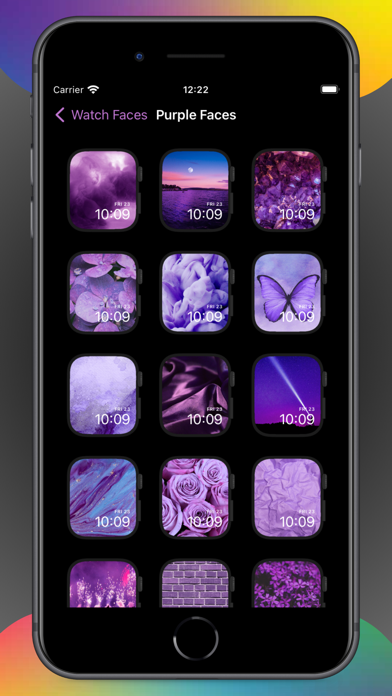
Discover Watch Faces: Gallery — your all-in-one Apple Watch customization app with over 1000 stunning wallpapers for every style. KEY FEATURES Massive Collection Browse 1,000+ wallpapers in 44 themed collections, from countries and cars to cats, planets and food. Custom Photo Faces Use your photos and videos to create personalized watch faces. Preview before setting. Easy Setup Preview wallpapers on a realistic mockup, then save and set in seconds. Zoom & Position Zoom and move your own photo so the face sits where you want before exporting. Favorites and Wallpaper of the Day Heart the wallpapers you like and find a new one every day. Offline Access Everything works offline, no internet needed. Live and Animated Backgrounds Stand out with dynamic, animated watch faces that bring your wrist to life. PREMIUM SUBSCRIPTION Watch Faces Premium removes ads and the monthly export limit. Plans: Weekly, Monthly, or Yearly. Payment charged to your Apple ID at confirmation. Subscription auto-renews unless canceled at least 24 hours before the current period ends. Manage subscriptions in Apple ID account settings. COMMON QUESTIONS Are these real watch faces, or wallpapers? They are images. watchOS only runs Apple's own faces — no app can add a new kind — so what you get is a background: you save a design to Photos and set it behind the Photos face on the watch. How do I actually get one onto the watch? Save the design to Photos, put it in an album, then on the iPhone open the Watch app, pick the Photos face and point it at that album. About a minute the first time, seconds after that. Terms of Use: https://masaapps360.com/watchfaces/terms/ Privacy Policy: https://masaapps360.com/watchfaces/privacy/
What's new · 1.6.0
• Zoom and move your own photo before exporting. • Favorites and a wallpaper of the day in the gallery. • New size: Apple Watch Ultra 3. • The Install on Apple Watch button is gone: it no longer works on watchOS 26. Use Export to Photos or Save as Live Photo.
Details