

Rhythm Trainer - Tap and Read
Deeryard LLC · Education
Independent analytics for this App Store listing. AppTracker is not affiliated with Deeryard LLC.
Chart standing · US
What changed · US
Listing changes AppTracker has observed for this app in this storefront — new versions, price moves, rating shifts, and store copy.
Reliability Update: We’ve spent this cycle focusing on the foundation of the app. While you won’t see new buttons or colors, we’ve optimized our core processes to ensure a smoother, more reliable experience.
Price & rating history · US
Reconstructed from the listing changes AppTracker has observed in this storefront. A field is charted once it has changed more than once, and each line starts at the value it moved from.
Average rating · ★ 4.67 now · 2 changes on record
Ratings breakdown · US
The star breakdown behind this app's rating in this storefront.
In-app purchases · US
What this app sells inside itself, grouped by kind and priced for this storefront.
Screenshots


About
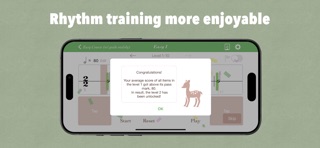
The easiest way to train your rhythmic skills by getting visual/aural feedback. Are you looking to improve your rhythmic skills? Look no further! Our app is designed to help you master the rhythmic skills through real-time analysis and feedback. 【 Key Features 】 • Analyze your tap timing for each note and receive instant feedback on its accuracy. • Record your taps and play them back with the correct taps for comparison. • See your progress at a glance. • Select your preferred level of score difficulty. • Explore advanced musical elements like ties, dotted notes, and triplets. • Challenge Two Hands courses. • Store and review sheets you've tried for future reference. • Challenge yourself with 700+ highly selected sheets. 【 How to Use 】 1. Look through the music sheet to get the picture of a whole of it. 2. Press 'Start' and begin tapping along with the score. 3. When you tap, a feedback bar will appear. Its color is green when the timing is correct. A red bar will appear when your timing is off. 4. Push 'Play' to listen to the timing of your taps. 5. With the piano switch, you can turn on/off the piano melody. 【 Subscriptions 】 • Payment will be charged to your Apple ID account at the confirmation of purchase. • The subscription automatically renews unless it is canceled at least 24 hours before the end of the current period. • Your account will be charged for renewal within 24 hours prior to the end of the current period. • You can manage and cancel your subscriptions by going to your App Store account settings after purchase. • You will not be able to cancel the subscription once activated. 【 FAQ 】 Do you have any questions? Visit our FAQ page at https://sightsinging.app/faq for detailed instructions and troubleshooting tips. You also can reach us by email at support@sightsinging.app. • Terms & Conditions https://sightsinging.app/terms-and-conditions • Privacy Policy https://sightsinging.app/privacy-policy Start your rhythm journey today and unlock your musical potential with our app!
What's new · 2026.36
Reliability Update: We’ve spent this cycle focusing on the foundation of the app. While you won’t see new buttons or colors, we’ve optimized our core processes to ensure a smoother, more reliable experience.
Details