

Mockup Frame-Screenshot Bezel
文阳 贺 · Graphics & Design
Independent analytics for this App Store listing. AppTracker is not affiliated with 文阳 贺.
Chart standing · US
What changed · US
Listing changes AppTracker has observed for this app in this storefront — new versions, price moves, rating shifts, and store copy.
• Added support for Liquid Glass. • Split a continuous canvas into 2 or 3 images for export and create promotional graphics that flow across screens. • Customize badge text, colors, shapes, and styles, with a live preview on the canvas. • Fit badge width to longer text and enjoy sharper badges when scaling up or exporting. • Improved template browsing and previews make it easier to find the right layout. • Improved layer ordering keeps devices, text, and badges stacked correctly, with consistent previews and exports. • Refined rotation controls and editing interactions, with fixes for various issues.
Ratings breakdown · US
The star breakdown behind this app's rating in this storefront.
In-app purchases · US
What this app sells inside itself, grouped by kind and priced for this storefront.
Screenshots


About
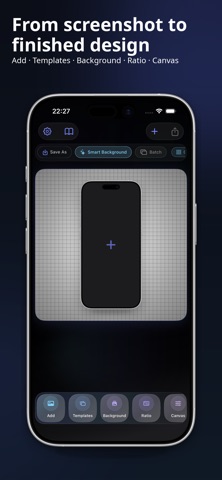
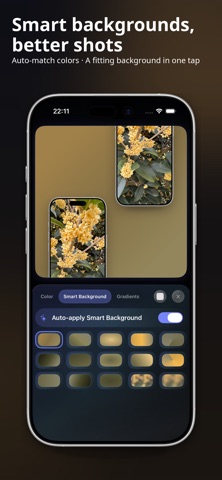
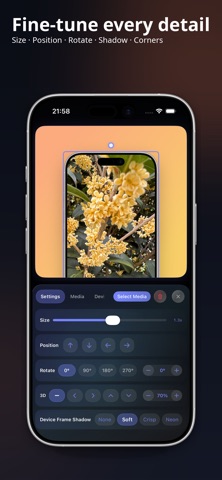
Create clean device mockups from screenshots, photos, and existing videos. Choose a phone, tablet, computer, or watch frame, adjust the media, and finish a presentable visual without starting from a blank design file. - Device frames for phones, tablets, computers, and watches - Image and video mockups - Showcase, collage, comparison, tutorial, and poster templates - Titles, subtitles, icons, and decorative elements - Solid colours, gradients, custom images, and smart backgrounds - Batch editing to keep a consistent style across a set Use it for app showcases, product updates, portfolios, tutorials, comparisons, and social posts. Start with a template for a single showcase, collage, comparison, tutorial, poster, or multi-device layout, or arrange everything yourself. Add titles, subtitles, icons, and small decorative details when the image needs more context. Choose a solid colour, gradient, image, or smart background based on the colours in your media. When several pages need to look alike, batch editing keeps the same frame, spacing, background, and layout across the set. Import a screenshot, photo, or existing screen recording, place it inside a frame, make a few adjustments, and share the result. Terms of Use (EULA): https://www.apple.com/legal/internet-services/itunes/dev/stdeula/ Privacy Policy: https://cutedge.site/privacy?lang=en User Agreement: https://cutedge.site/terms?lang=en
What's new · 4.4.1
• Added support for Liquid Glass. • Split a continuous canvas into 2 or 3 images for export and create promotional graphics that flow across screens. • Customize badge text, colors, shapes, and styles, with a live preview on the canvas. • Fit badge width to longer text and enjoy sharper badges when scaling up or exporting. • Improved template browsing and previews make it easier to find the right layout. • Improved layer ordering keeps devices, text, and badges stacked correctly, with consistent previews and exports. • Refined rotation controls and editing interactions, with fixes for various issues.
Details