

Alli360 by Kids360
MINDCARE LAB LTD · Utilities
Independent analytics for this App Store listing. AppTracker is not affiliated with MINDCARE LAB LTD.
Chart standing · US
What changed · US
Listing changes AppTracker has observed for this app in this storefront — new versions, price moves, rating shifts, and store copy.
Bug fixes and performance improvements
Price & rating history · US
Reconstructed from the listing changes AppTracker has observed in this storefront. A field is charted once it has changed more than once, and each line starts at the value it moved from.
Average rating · ★ 4.37 now · 2 changes on record
Ratings breakdown · US
The star breakdown behind this app's rating in this storefront.
In-app purchases · US
No in-app purchases.
Screenshots



About
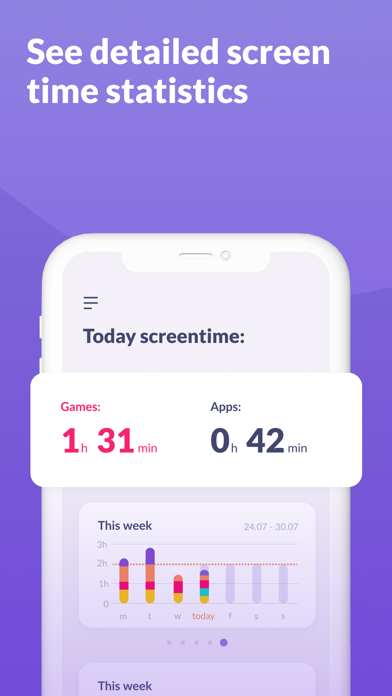
“Alli360” — is a service that helps parents to set time limits for children in entertainment applications and games The “Alli360” app complements the “Kids360 for parents” app and must be installed on the device the teen is using This app provides you with the following options: Time limit - set a time limit for specific applications and games your teens uses Schedule - set schedules for school time and rest in the evening: games, social networks, and entertainment apps will not be available during the specified time List of applications - select applications you want to limit or block completely Time spent - see how much time your teen spends on their smartphone and identify their most used applications Always keep in touch - applications for calls, messages, taxis, and other non-entertainment applications will always be available and you will always be able to contact your school student. The “Kids360” app is designed for family safety and parental control. Thanks to the application tracker, you will always know how much time teen is spending on their smartphone. The app cannot be installed on the cell phone without your child’s knowledge, its use is available only with the explicit consent. Personal data is stored in strict accordance with legislation and GDPR policies. How to start using the "Kids360" app: 1. Install the “Kids360 for parents” app on your mobile device; 2. Install the “Alli360” app on your teen's phone and enter the link code with the parental device; 3. Allow monitoring of your teenager's smartphone in the app. In case of technical problems, you can always contact the 24-hour support service in the app or via the following email support@kids360.app You can monitor your time on the smartphone for free after connecting second device. Time management functions in applications are available during the trial period and by purchasing a subscription.
What's new · 2.61.1
Bug fixes and performance improvements
Details