

TV Control – Universal Remote
BSOFT VIET NAM JOINT STOCK COMPANY · Utilities
Independent analytics for this App Store listing. AppTracker is not affiliated with BSOFT VIET NAM JOINT STOCK COMPANY.
Chart standing · US
What changed · US
Listing changes AppTracker has observed for this app in this storefront — new versions, price moves, rating shifts, and store copy.
Bug fixes and performance improvements.
Price & rating history · US
Reconstructed from the listing changes AppTracker has observed in this storefront. A field is charted once it has changed more than once, and each line starts at the value it moved from.
Average rating · ★ 4.26 now · 10 changes on record
Ratings breakdown · US
The star breakdown behind this app's rating in this storefront.
In-app purchases · US
What this app sells inside itself, grouped by kind and priced for this storefront.
Screenshots


About
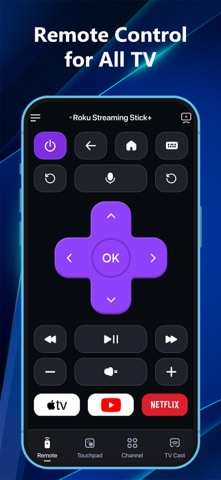
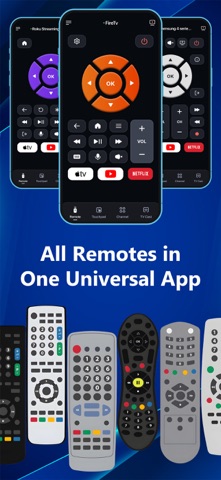
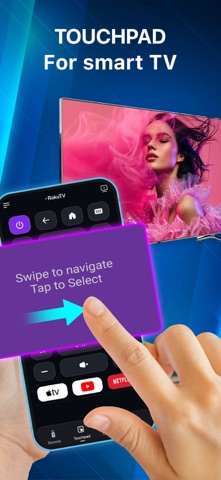
TV Remote – Smart Control for All TVs. Turn your iPhone or iPad into a powerful universal TV remote! Control Samsung, LG, Roku, Fire TV, Android TV, Hisense, Sony, TCL & more — all from one smart app. No more juggling remotes. Cast, control, and mirror – effortlessly. Key Features • Universal Remote for Smart TVs Control power, volume, channels, input, and settings on Samsung, LG, Roku, Fire TV, and Android TVs. • Quick App Access Launch Netflix, YouTube, Prime Video, Hulu, TED, and CNN instantly with one tap. • Smart Touchpad Navigation Swipe and tap like a laptop trackpad — intuitive and fast. • Cast Photos & Videos Stream photos and videos from your iPhone/iPad camera roll to your TV. No cables. No setup. • Voice Control Use voice commands to search, play, pause, adjust volume, and more — hands-free. • Stable WiFi Remote Control TVs via WiFi — no line-of-sight needed. Instant response & ultra-reliable connection. • All-in-One Convenience Consolidate all your remotes into one smart app available on both iPhone and iPad. • Screen Mirroring (Coming Soon) Mirror your iPhone/iPad screen to any compatible smart TV — great for presentations, videos, or mobile games. * Works Great With: Smart TVs, streaming devices, and more. Perfect for home entertainment, travel, and presentations. * How to connect to TV Control – Universal Remote : 1. Make sure your Smart TV and your iPhone/iPad are connected to the same Wi-Fi network. 2. Open the TV Control – Universal Remote app. 3. Tap the “Tap to Connect” button at the top of the screen. 4. Choose your TV from the list of available devices. 5. Once connected, explore the available features: Remote, Touchpad, Cast, Channel, Setting Why Choose TV Remote – Smart Control? • Works with almost smart TVs & streaming devices • Seamless connection setup in seconds • All-in-one remote for your home, travel, or office • Clean, simple interface that anyone can use Download TV Control – Universal Remote now on your iPhone or iPad and take control of your viewing experience! *This app is not affiliated with or endorsed by Samsung, Roku, or any of the mentioned brands. Links to our Terms of Service and Privacy Policy can be found below: Privacy Policy: https://sites.google.com/view/btb-ios-group/ Terms of Service: https://sites.google.com/view/btb-ios-group-tos/
What's new · 1.5.1
Bug fixes and performance improvements.
Details