

Noteshelf 3: AI Digital Notes
Fluid Touch Pte. Ltd. · Productivity
Independent analytics for this App Store listing. AppTracker is not affiliated with Fluid Touch Pte. Ltd.
Chart standing · US
What changed · US
Listing changes AppTracker has observed for this app in this storefront — new versions, price moves, rating shifts, and store copy.
Introducing Two-Page View! See and work on two pages side by side, just like an open notebook. Switch between vertical, horizontal, and two-page views anytime from the new navigation pill at the bottom left of the screen. Also new: - Choose a page zoom preset right from the navigation pill. - Drag images, shapes, text boxes, and more across pages seamlessly.
Price & rating history · US
Reconstructed from the listing changes AppTracker has observed in this storefront. A field is charted once it has changed more than once, and each line starts at the value it moved from.
Average rating · ★ 4.56 now · 3 changes on record
Ratings breakdown · US
The star breakdown behind this app's rating in this storefront.
In-app purchases · US
What this app sells inside itself, grouped by kind and priced for this storefront.
Screenshots




About
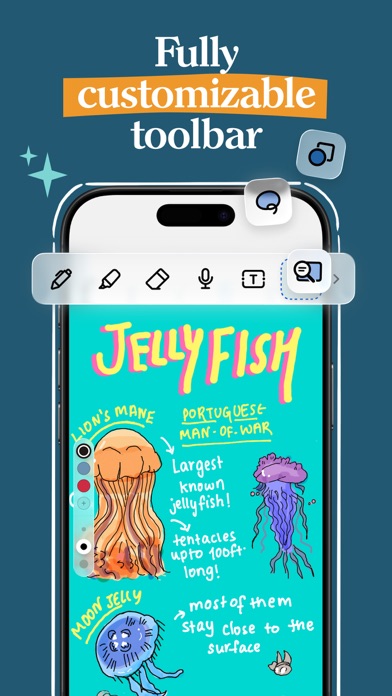
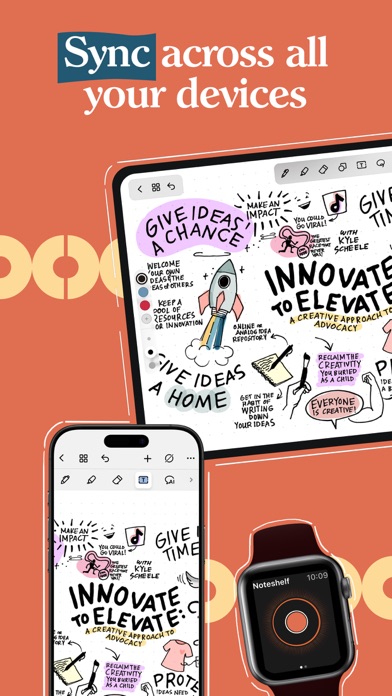
Write. Plan. Study. Work. Create. Noteshelf 3 brings natural handwriting, powerful AI, PDF annotation, audio recording and planning together in one beautiful app for iPad, iPhone and Mac. Free to start. FOR STUDENTS • Take lecture and class notes with lifelike pens, pencils and highlighters • Annotate textbooks, worksheets, slides and PDFs • Record audio while you write, so you never miss a word • Use Noteshelf AI to summarize and explain what you've learned FOR PROFESSIONALS • Capture meeting notes and record important discussions • Mark up contracts, reports and presentations • Present your notes on an external display with a laser pointer • Export and share notes as PDFs or images in one tap FOR PLANNERS & JOURNALERS • 200+ templates for digital planners, journals, diaries and trackers • Plan your days, track goals and keep a personal journal • Decorate pages with stickers, photos and custom covers WRITE NATURALLY • A smooth, natural handwriting experience built for Apple Pencil • Write, type, draw and sketch on the same page • Turn handwriting into text and search your notes in 65 languages • Choose lined, dotted or grid paper in any color WORK WITH PDFs & DOCUMENTS • Import and annotate PDFs, Word documents, PowerPoint files and images • Highlight, mark up, write and draw directly on your documents • Scan paper documents with the built-in scanner NOTESHELF AI • Summarize handwritten pages in seconds • Explain difficult terms and concepts • Translate text into other languages • Generate notes on any topic RECORD & REMEMBER • Record lectures, meetings and ideas alongside your handwritten notes STAY ORGANIZED & SECURE • Folders, subfolders, tags, bookmarks and a table of contents • Link notebooks together to connect ideas • Lock notes with a password, Face ID or Touch ID • Sync across iPad, iPhone and Mac with iCloud • Automatic backup to Google Drive, OneDrive, Dropbox or WebDAV YOUR NOTES, YOUR WAY • Custom notebook covers and a toolbar you can rearrange • Presentation mode, dark mode and flexible page layouts FREE TO START Create up to 3 notebooks with core pens and paper for free. Upgrade to Noteshelf Premium for unlimited notebooks, all templates, handwriting recognition, auto-backup and 100 monthly AI credits. Write beautifully. Work smarter. Stay organized. Terms of Use: https://www.apple.com/legal/internet-services/itunes/dev/stdeula
What's new · 8.0
Introducing Two-Page View! See and work on two pages side by side, just like an open notebook. Switch between vertical, horizontal, and two-page views anytime from the new navigation pill at the bottom left of the screen. Also new: - Choose a page zoom preset right from the navigation pill. - Drag images, shapes, text boxes, and more across pages seamlessly.
Details