

MaxVault - Photo & Video Vault
Rambax, LLC · Photo & Video
Independent analytics for this App Store listing. AppTracker is not affiliated with Rambax, LLC.
Chart standing · US
What changed · US
Listing changes AppTracker has observed for this app in this storefront — new versions, price moves, rating shifts, and store copy.
Fixed in 8.0.11: • Fixed an issue that could prevent importing photos. • Default video covers now refresh after editing, while custom covers are preserved. • Video save confirmations now appear in the progress box. • Improved sharing messages and support reports. MaxVault 8 is our biggest update ever! • Photo Collages: Combine 2–6 photos with customizable layouts and backgrounds. • Video Editor: Trim, rotate, crop, change quality and save frames as photos. • Enhanced Photo Editor: Blur faces, redact private details and remove metadata. • Duplicate Finder: Find duplicate files and remove unwanted copies. • New Private Browser: Redesigned browsing with page search and instant File Manager switching. • Full-Screen Preview: Swipe through photos, videos and audio. • Mini Media Player: Keep media playing while browsing your vault. • New Gestures: Pinch to change views; double-tap with two fingers to select. • Redesigned the interface with simpler and cleaner menus to make managing your files faster and more intuitive with zero clutter. • Added full language support for German, French, and Japanese. As this is a major update, we are actively working on minor bug fixes and improvements. If you encounter any issues, please let us know via Settings > Contact Support inside the app.
Ratings breakdown · US
The star breakdown behind this app's rating in this storefront.
In-app purchases · US
What this app sells inside itself, grouped by kind and priced for this storefront.
Screenshots




About
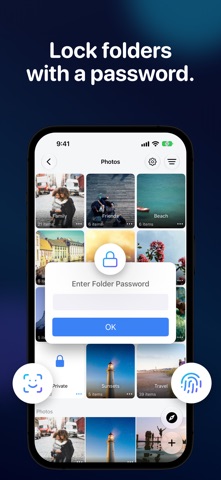
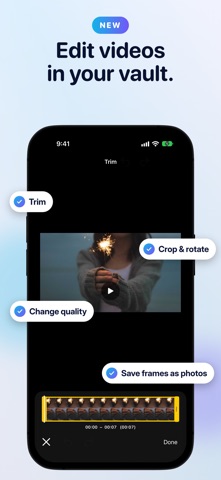
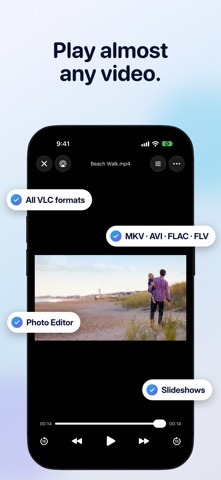
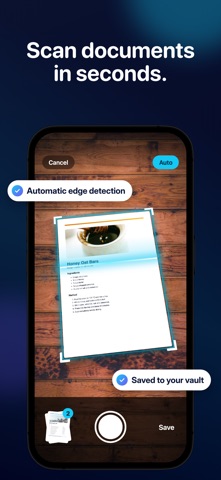
Hide your private photos, videos, documents and passwords with the top-rated privacy app! MaxVault is the super app that combines a Photo Vault, Private Web Browser & Downloader, Media Player, Scanner and much more, all in one exceptionally easy-to-use app. Reviews: ***** "This is a superlative extraordinary app, demonstrating design abilities that far exceed Apple’s native apps. I went through more than twenty file vault apps for comparison, and this is the finest by light years: beautifully and professionally made, with every conceivable function, and every conceivable customization... If you wanted an easy metaphor, most other apps are poorly-cobbled wagons, and this is an intergalactic cruiser capable of warp speeds. Stellar!" VAULT PROTECTION: • Lock the app with PIN (using 4 to 8 digits), FaceID or TouchID • Get break-in alerts with the intruder's photo and GPS location • Lock individual folders with a password or FaceID for added security • Activate Panic Action: lock the app by facing down your phone or swiping the screen with three fingers EASY FILE MANAGEMENT: • Organize your files with folders, tags, and smart folders to keep everything in order • Create multiple secret vaults, each accessed with different passcodes • Enjoy built-in support for Live Photos, Favorites, Shortcuts, and a Trash Bin • Integrate seamlessly with iCloud Drive, Dropbox, OneDrive, and iTunes Sharing • Supports Text, GIF, PDF, ZIP (with password), Microsoft Office documents, and iWork files • Transfer files between iOS devices and computers via WiFi • Find duplicate files to free up space MEDIA VIEWING: • Enjoy your videos and music with our easy-to-use media player • Supports numerous video and audio formats (including all VLC formats) • Slideshow photos with customized transitions, slide time, loop or shuffle • Fully customizable gestures with tap, double-tap and triple-tap actions • Quickly preview photos, videos and audio in full screen • Keep video or audio playing in the mini player while browsing your vault PRIVATE BROWSING: • Browse the web without leaving a trace • Download files directly to your private storage • Save any webpage to a PDF file • Search within a page and instantly switch between the browser and File Manager CREATE PHOTO COLLAGES: • Combine 2–6 photos with flexible layouts, ratios, spacing, corners and backgrounds EDIT PHOTOS: • Add text, filters, and effects • Convert videos to GIFs • Blur faces, redact private details and remove photo metadata EDIT VIDEOS: • Trim, rotate, crop, change quality and save any frame as a photo SCAN DOCUMENTS: • Quick document scanning • Automatic edge detection MaxVault Premium: Some features require a purchase. MaxVault offers a lifetime purchase and monthly or yearly subscriptions. See the app for current options and prices. For subscriptions, payment is charged to your Apple Account at confirmation. Subscriptions renew automatically unless canceled at least 24 hours before the current period ends. Your account is charged for renewal within 24 hours before the period ends. Manage or cancel your subscription in your App Store account settings. Terms of Service: https://rambax.com/maxvault/termsofservice Privacy Policy: https://rambax.com/maxvault/privacypolicy
What's new · 8.0.11
Fixed in 8.0.11: • Fixed an issue that could prevent importing photos. • Default video covers now refresh after editing, while custom covers are preserved. • Video save confirmations now appear in the progress box. • Improved sharing messages and support reports. MaxVault 8 is our biggest update ever! • Photo Collages: Combine 2–6 photos with customizable layouts and backgrounds. • Video Editor: Trim, rotate, crop, change quality and save frames as photos. • Enhanced Photo Editor: Blur faces, redact private details and remove metadata. • Duplicate Finder: Find duplicate files and remove unwanted copies. • New Private Browser: Redesigned browsing with page search and instant File Manager switching. • Full-Screen Preview: Swipe through photos, videos and audio. • Mini Media Player: Keep media playing while browsing your vault. • New Gestures: Pinch to change views; double-tap with two fingers to select. • Redesigned the interface with simpler and cleaner menus to make managing your files faster and more intuitive with zero clutter. • Added full language support for German, French, and Japanese. As this is a major update, we are actively working on minor bug fixes and improvements. If you encounter any issues, please let us know via Settings > Contact Support inside the app.
Details