

Piano Transcriptionist
Weida Fan · Music
Independent analytics for this App Store listing. AppTracker is not affiliated with Weida Fan.
Chart standing · US
What changed · US
Listing changes AppTracker has observed for this app in this storefront — new versions, price moves, rating shifts, and store copy.
Transkun is now faster, more stable, and more memory efficient. • Improved transcription performance by up to 30%¹ • Improved model stability • Added a Memory Saver option, reducing memory usage by up to 30%² • Fixed potential crashes in the MIDI workspace • Added missing localizations in Settings ¹ Internal testing on an M4 Max using the same 5:35 audio file: 6.2 seconds, down from 9.4 seconds. ² Internal testing on an M4 Max using the same 5:35 audio file: 1.5 GB of memory, down from 2.3 GB.
Price & rating history · US
Reconstructed from the listing changes AppTracker has observed in this storefront. A field is charted once it has changed more than once, and each line starts at the value it moved from.
Average rating · ★ 4.30 now · 11 changes on record
Ratings breakdown · US
The star breakdown behind this app's rating in this storefront.
Screenshots
About
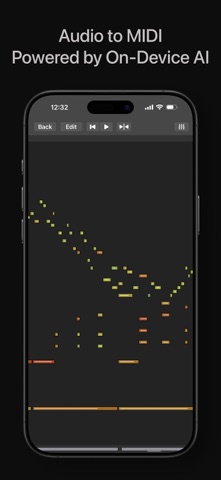
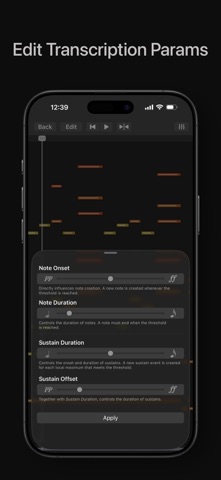
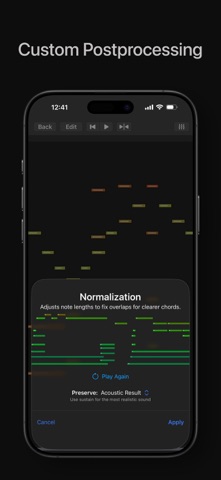
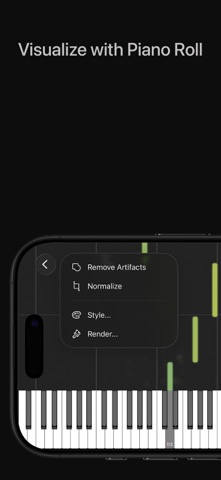
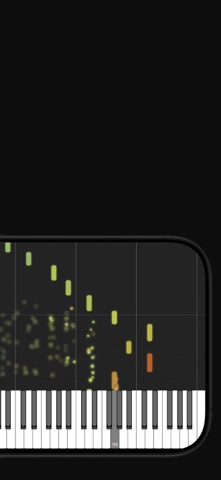
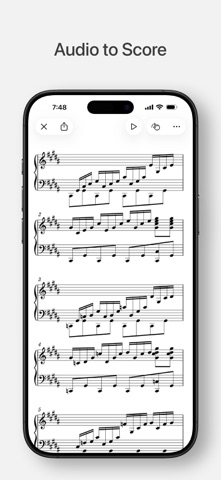
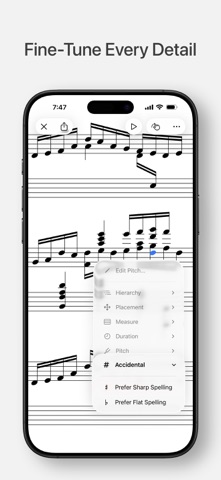
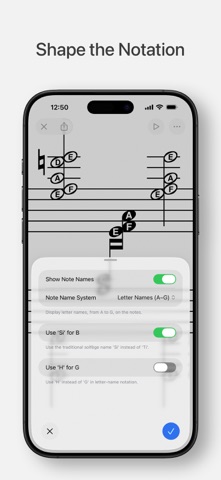
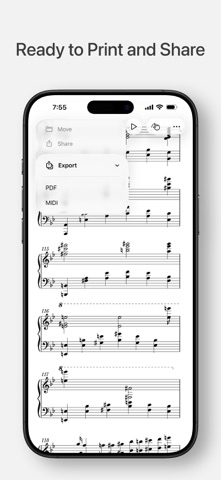
Piano Transcriptionist turns piano audio into expressive MIDI and editable sheet music. Work with the notes of a piece without having to transcribe it by ear. Transcription (audio to MIDI) • Import piano audio from mp3, mp4, m4a, or flac files for automatic transcription. • Choose between two state-of-the-art, highly optimized transcription models. • Captures the performance’s timing, note lengths, velocity, and sustain pedal, so the MIDI retains its musical expression when played back. • Remove stray notes and tidy overlapping notes with simple MIDI cleanup tools. • Export a standard MIDI file to edit, arrange, or play back in other apps. Score Editing (from audio or MIDI) • Create a score from piano audio or MIDI, or import an existing MusicXML score for editing. • Automatic engraving gives you a starting score, with enhanced rhythm analysis† for more accurate measure divisions and beaming. • Refine the score with tools to: • Edit notes and fine-tune the notation, including pitches, accidentals, beaming, and measure divisions. • Notate complex piano passages with advanced tools. • Adjust the score layout for easier reading and printing. • Change key signature and choose to show all accidentals explicitly. • Label notes with numbers, letter names, or solfège syllables. • Annotate with pressure-sensitive Apple Pencil strokes, or draw with your finger. Marks stay anchored to the beat as the score changes. • Play back the score in the app, with notes highlighted as they sound. • Play on a connected digital piano while the app follows your performance in real time and scrolls to the passage you’re playing. • Export the score as a PDF to print and share. Piano Roll • Watch notes flow toward the piano keyboard as the music plays, with haptics in sync. • Scroll forward or backward to hear and feel notes as they reach the keyboard. • Export the piano roll as a high-resolution video. Performance and Privacy • Optimized on-device machine learning keeps transcription fast on iPhone, iPad, and Mac, even for longer pieces. • All processing happens locally, so your audio and MIDI never leave your device. • No accounts and no tracking. Free, with Optional Tips • Every feature is free, including MIDI, PDF, and piano roll video export. There are no subscriptions, locked features, or watermarks. • Optional in-app tips support the solo developer behind the app; they don’t unlock any features. † Enhanced rhythm analysis requires iOS 27, iPadOS 27, or macOS 27.
What's new · 2.6.1
Transkun is now faster, more stable, and more memory efficient. • Improved transcription performance by up to 30%¹ • Improved model stability • Added a Memory Saver option, reducing memory usage by up to 30%² • Fixed potential crashes in the MIDI workspace • Added missing localizations in Settings ¹ Internal testing on an M4 Max using the same 5:35 audio file: 6.2 seconds, down from 9.4 seconds. ² Internal testing on an M4 Max using the same 5:35 audio file: 1.5 GB of memory, down from 2.3 GB.
Details