

moontake
ZIZICICI LIMITED · Photo & Video
Independent analytics for this App Store listing. AppTracker is not affiliated with ZIZICICI LIMITED.
Chart standing · US
What changed · US
Listing changes AppTracker has observed for this app in this storefront — new versions, price moves, rating shifts, and store copy.
- Explore the Moon: open a photo to see labeled lunar landmarks, reference images, and their stories. Adjust the alignment when needed. - Moon Calendar: see daily phases, illumination, the next full Moon, and phase event times. This month is free to view; other months require Pro.
Price & rating history · US
Reconstructed from the listing changes AppTracker has observed in this storefront. A field is charted once it has changed more than once, and each line starts at the value it moved from.
Average rating · ★ 4.48 now · 2 changes on record
Ratings breakdown · US
The star breakdown behind this app's rating in this storefront.
In-app purchases · US
What this app sells inside itself, grouped by kind and priced for this storefront.
Screenshots



About
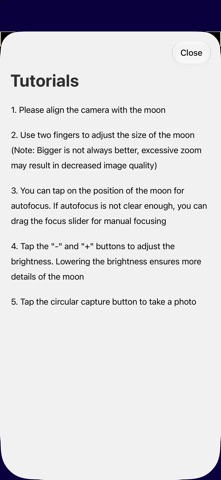
Tutorials 1. Please align the camera with the moon 2. Use two fingers to adjust the size of the moon (Note: Bigger is not always better, excessive zoom may result in decreased image quality) 3. You can tap on the position of the moon for autofocus. If autofocus is not clear enough, you can drag the focus slider for manual focusing 4. Tap the \"-\" and \"+\" buttons to adjust the brightness. Lowering the brightness ensures more details of the moon 5. Tap the circular capture button to take a photo ---------------------- moontake taking great photos of the moon on your iPhone. moontake provide a special watermark with current moon phase information. moontake's technology implementation does not involve any 2D/3D moon model matching or other cheating methods, faithfully reflecting the resolving power of the camera lens. It is particularly suitable for devices equipped with telephoto lenses. Explore more of the Moon: • Moon Finder gives approximate direction guidance in the camera; compass accuracy affects the guide. • Moon Calendar shows daily phases, illumination, the next full Moon, and phase event times. The current month is free to view; other months require Pro. • Explore the Moon adds approximate labels for lunar landmarks to your photos, with reference images and stories. You can adjust the alignment manually. EULA: https://www.apple.com/legal/internet-services/itunes/dev/stdeula/
What's new · 2.4.0
- Explore the Moon: open a photo to see labeled lunar landmarks, reference images, and their stories. Adjust the alignment when needed. - Moon Calendar: see daily phases, illumination, the next full Moon, and phase event times. This month is free to view; other months require Pro.
Details