

Valence 3D
Hi-Rez, LLC · Graphics & Design
Independent analytics for this App Store listing. AppTracker is not affiliated with Hi-Rez, LLC.
Chart standing · US
What changed · US
Listing changes AppTracker has observed for this app in this storefront — new versions, price moves, rating shifts, and store copy.
Minor bug fixes.
Price & rating history · US
Reconstructed from the listing changes AppTracker has observed in this storefront. A field is charted once it has changed more than once, and each line starts at the value it moved from.
Average rating · ★ 4.20 now · 6 changes on record
Ratings breakdown · US
The star breakdown behind this app's rating in this storefront.
In-app purchases · US
No in-app purchases.
Screenshots




Keywords this app targets
Search terms AppTracker associates with this app — estimates, not search volume. ❝ = in the app's title; a highlighted number is its current position for that term.
Similar apps
Competitors and close alternatives, as estimated by AppTracker.
 3D modeling: Design my model
Core five, Inc.
2 shared topics · 1 shared title word
3D modeling: Design my model
Core five, Inc.
2 shared topics · 1 shared title word
 Forma3D - 3D Modeling & Print
Denis Vazyulya
1 shared topic · 1 shared title word
Forma3D - 3D Modeling & Print
Denis Vazyulya
1 shared topic · 1 shared title word
 Verto Studio 3D
Verto Studio LLC
1 shared topic · 1 shared title word
Verto Studio 3D
Verto Studio LLC
1 shared topic · 1 shared title word
 Sketch 3D
Victor Ng
1 shared topic · 1 shared title word
Sketch 3D
Victor Ng
1 shared topic · 1 shared title word
 3D modeling: ArtiMesh
White Bread Games
1 shared topic · 1 shared title word
3D modeling: ArtiMesh
White Bread Games
1 shared topic · 1 shared title word
 Voxel Max: 3D Modeling
Adrian Andreca
1 shared topic · 1 shared title word
Voxel Max: 3D Modeling
Adrian Andreca
1 shared topic · 1 shared title word
 Preview3D
Michal Fanta
Preview3D
Michal Fanta
 [3D] Preview
designmatic GmbH
[3D] Preview
designmatic GmbH
About
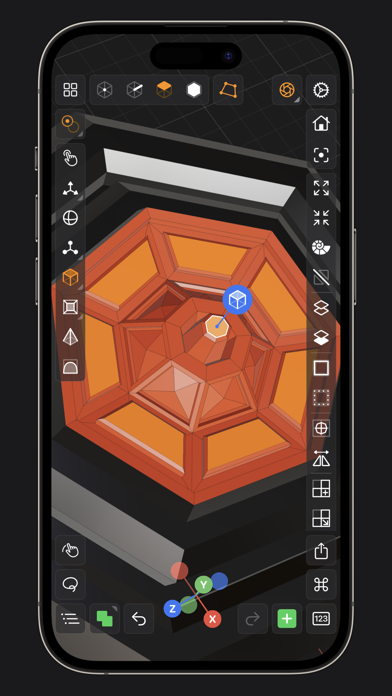
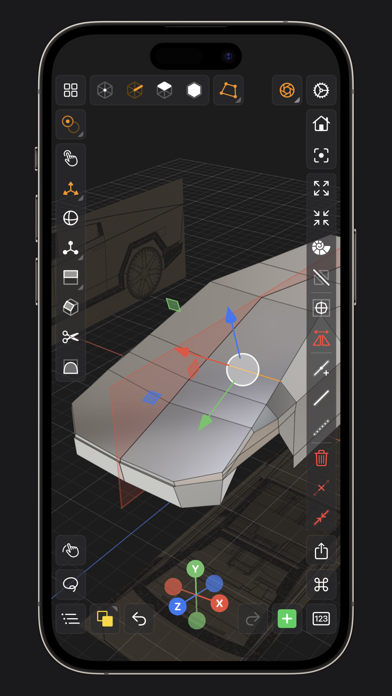
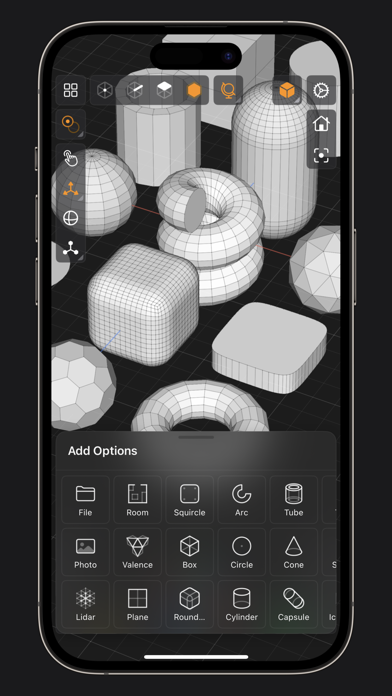
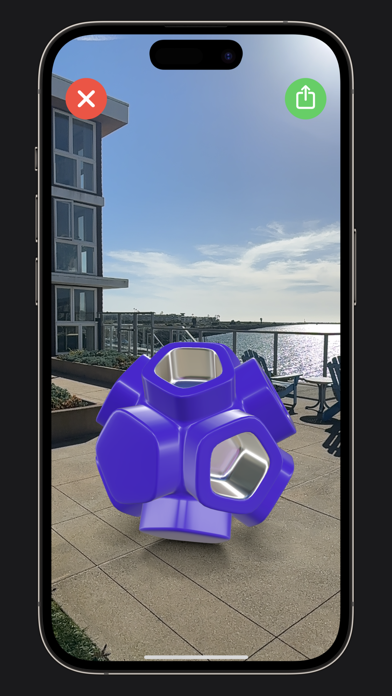
Valence 3D is a powerful, beautiful, minimal, and easy-to-use 3D Polygon & SubD modeling app for iPad & iPhone. No matter whether you're learning 3D modeling for the first time or a professional working in design, construction, gaming, web dev, digital fabrication, architecture, or spatial computing, Valence 3D has what you need to get started! CREATE, IMPORT, EDIT & EXPORT 3D MODELS • 25 primitive shapes are built-in & ready to help you start modeling: plane, box, sphere, squircle, rounded box, arc, circle, cylinder, tube, cone, capsule, torus, icosphere, pipe, revolve, helix, voronoi, text, super shape, noise surfaces, torus knot, faceted gem & tube. • Import existing models, reference images, lidar scans and room plans • Imports: OBJ, STL, USD, USDZ • Exports: PNG, SVG, OBJ, STL, USD, USDZ, GLTF, GLB • Knife tool to create complex and detailed geometry • Move, Rotate, & Scale gizmos make it easy to transform nodes, faces, edges & vertices • Powerful modeling gizmos for extruding, insetting, beveling, poking, creasing & cutting • Multiple selection & automatic loop selection help accelerate your modeling • Tap on one of the gizmo handles to bring up an input field for precise transformations & mesh operations • Robust snapping & alignment commands • Selection operations: grow, shrink, select shell & deselect • Mesh operations: duplicate, instance, set / center pivot, trim by plane, boolean, apply transform & subdivide • Face operations: separate, combine, bridge, extract, poke, collapse, delete, dissolve, harden & soften • Edge operations: extrude, insert vertex, collapse, dissolve, bridge, harden & soften • Vertex operations: insert edge, dissolve, delete & merge • Non-destructive & configurable mesh modifiers: mirror & subdivision • Apply complex transformations using different gizmo pivot points & orientations EASILY NAVIGATE & STAY IN FLOW WHILE DESIGNING • Carefully crafted & fully optimized for iPhone & iPad • Designed to minimize cognitive overload by only showing tools & commands that are contextually relevant • Easily navigate to any part of your model by dragging and pinching: two finger pinch to zoom and roll, and one finger drag to rotate • Pop into the standard orthographic views by tapping one of the handles of the orientation gizmo • Use two & three finger tap gestures to undo & redo • Select components by dragging or using the rectangular selection mode • Your work is saved automatically every two minutes and every time you go back to the gallery • Get an overview of your scene’s structure from the Outliner • Long press on a node in the Outliner to easily rename, duplicate, instance, delete, parent & reorder any object in your scene • Precisely adjust any node’s position, rotation & scale with the Inspector • Adjust material properties, display & modifier options with the Inspector STAY ORGANIZED ACROSS ALL YOUR DEVICES • Preview, share, duplicate, delete & rename your models from the gallery • iCloud syncing keeps all your models up to date, private & accessible across all your devices PREVIEW, MEASURE, & RENDER YOUR CREATIONS • 6 powerful rendering modes: Matcap, Modeling, Wireframe, Physically Based, X-Ray & Path Traced • Export renders in any aspect ratio & scale • Preview your model in AR in two taps • Export your scene as a USDZ & be confident it’ll look consistent on all Apple devices • Tweak your model’s material & see changes in real-time • Tweak-able scene settings: camera field of view, background type, blurriness, intensity & rotation • Get model measurements in one click • Add persistent dimensions between any two surfaces in your scene PURCHASE & COMPATIBILITY • One time purchase unlocks both iPhone & iPad versions • Apple Pencil supported on select iPads • 120 FPS supported on devices with ProMotion displays • Path Tracing is supported on iPads with M series chips & iPhones with A15 Bionic & later • Lidar Scan & Room Plan is supported on devices with a lidar sensor
What's new · 1.4.7
Minor bug fixes.
Details