

AR Drawing Sketch: Trace Draw
Ketanbhai Khokhani · Graphics & Design
Independent analytics for this App Store listing. AppTracker is not affiliated with Ketanbhai Khokhani.
Chart standing · US
What changed · US
Listing changes AppTracker has observed for this app in this storefront — new versions, price moves, rating shifts, and store copy.
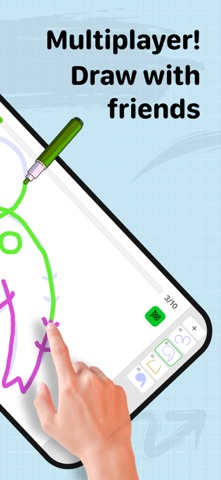
Create Art Together — Enjoy the new multiplayer drawing experience and create artwork with friends in real time. Real-Time Multiplayer — Draw, collaborate, and have fun together with friends. New Image Categories — Discover brand-new categories with even more content to explore. Latest UI & OS 26 Support — Full support for the latest UI updates and OS 26. Pinch to Zoom — Zoom in for a closer look at images and details. Improved Drawing Responsiveness — Enjoy smoother, faster, and more natural drawing. More Content — Explore additional images and categories. Performance Improvements — Bug fixes, optimizations, and overall improvements for a faster and more reliable experience.
Price & rating history · US
Reconstructed from the listing changes AppTracker has observed in this storefront. A field is charted once it has changed more than once, and each line starts at the value it moved from.
Average rating · ★ 4.64 now · 2 changes on record
Ratings breakdown · US
The star breakdown behind this app's rating in this storefront.
In-app purchases · US
What this app sells inside itself, grouped by kind and priced for this storefront.
Screenshots



Keywords this app targets
Search terms AppTracker associates with this app — estimates, not search volume. ❝ = in the app's title; a highlighted number is its current position for that term.
Similar apps
Competitors and close alternatives, as estimated by AppTracker.
 AR Drawing – Tracing Projector
AppLiks Sp. z O.O.
2 shared topics · 3 shared title words
AR Drawing – Tracing Projector
AppLiks Sp. z O.O.
2 shared topics · 3 shared title words
 AR Drawing App - Sketchify
Fitness Training Global
1 shared topic · 3 shared title words
AR Drawing App - Sketchify
Fitness Training Global
1 shared topic · 3 shared title words
 AR Drawing Sketch AI - ArtEasy
AI Art Apps
1 shared topic · 6 shared title words
AR Drawing Sketch AI - ArtEasy
AI Art Apps
1 shared topic · 6 shared title words
 Artrace: AR Drawing & Sketch
Braly
1 shared topic · 4 shared title words
Artrace: AR Drawing & Sketch
Braly
1 shared topic · 4 shared title words
 AR Sketch Anime: Trace Drawing
CEM SOFTWARE COMPANY LIMITED
4 shared title words
AR Sketch Anime: Trace Drawing
CEM SOFTWARE COMPANY LIMITED
4 shared title words
 AR Sketch & Trace
VarMeta
4 shared title words
AR Sketch & Trace
VarMeta
4 shared title words
 AR Drawing How to Draw Sketch
Onelight Apps CY Ltd
5 shared title words
AR Drawing How to Draw Sketch
Onelight Apps CY Ltd
5 shared title words
 AR Projector Tracing & Drawing
Aesthetic Apps & Widgets srl
1 shared topic · 2 shared title words
AR Projector Tracing & Drawing
Aesthetic Apps & Widgets srl
1 shared topic · 2 shared title words
About
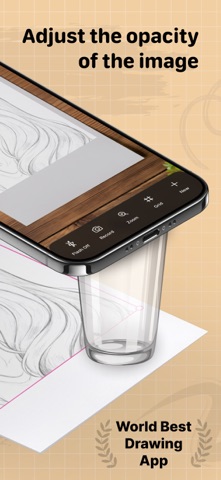
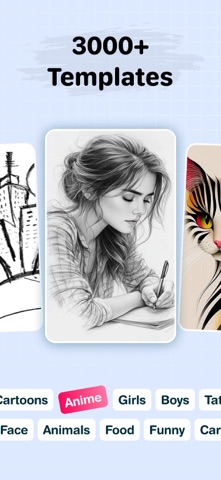
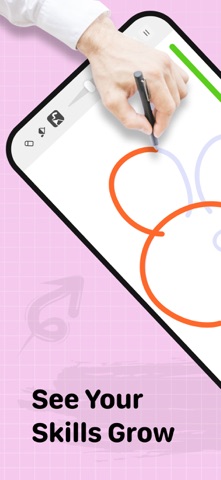
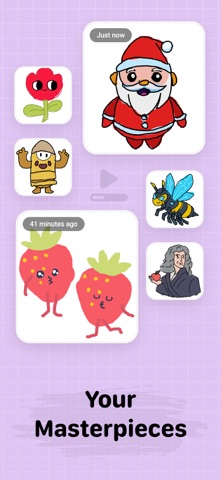
Introducing the new and improved AR Sketch Drawing, now enhanced with powerful learning features of guided drawing to offer the ultimate drawing experience for artists of all levels. Augmented Reality Drawing Meets Guided Learning AR Sketch Drawing’s core strength—using your phone’s camera to project traceable images onto real-world surfaces—remains at the heart of the app. Now, it’s supercharged with Guided, step-by-step tutorials and real-time feedback. Whether you're tracing anime characters, sketching animals, or exploring creative templates, you'll receive guidance and performance evaluations to help you improve. Guided drawing becomes your personal drawing coach. It helps you learn to draw through a fun, game-like experience while analyzing your progress. How is it different from other apps? * It tracks your drawing accuracy • It assesses the quality of your strokes • Well-structured lessons that combine a little theory with plenty of practice • More than just line tracing – try skill-based trainers with instant feedback Beginners can build strong fundamentals and improve gradually. Experienced artists can use this as a daily warm-up to refine and sharpen their skills. It’s a true Drawing guide: - Engage your creative muscles! -It’s interactive, motivating, and enjoyable. AR Sketch Drawing app is a tool that allows users to take a photograph or image and trace over it to create a sketch or drawing. It typically has features such as adjustable line thickness, different brush styles, and an eraser tool. To use the app, the user first selects an image to trace or takes a new photograph. Place phone about 1 feet above and look into the phone and draw on paper. So how does it work? * Select an image from the app or gallery and apply a filter to create a traceable image. After that, you will see that image on the camera screen with transparency & you have to put drawing paper or book anything on which you want to trace and draw. Your image will not appear on paper but a transparent image with camera so that you can trace it on paper. * Draw on paper by looking at the phone with a transparent image. * Select any image and convert it to a tracing image. AR Sketch Drawing Premium Subscription: * With AR Sketch Drawing Premium Subscription, you will have access to all premium features like get access for drawing lessons, explore more creative images with an Ads-Free experience. * AR Sketch Drawing Premium Subscription is billed monthly and annually at the rate corresponding to the selected plan. * Payment will be charged to iTunes Account at confirmation of purchase. * Subscription automatically renews unless auto-renew is turned off at least 24-hours before * Any unused portion of a free trial period, if offered, will be forfeited when the user purchases a subscription to that publication, where applicable. Key Features * AR Tracing: Project images onto paper using your camera and trace with precision. * 2,500+ Guided Lessons: Learn to draw with bite-sized tutorials covering doodling, sketching, painting, and handwriting. * Stroke Evaluation: Receive instant feedback on line accuracy and stroke quality to track your progress. * Creative Templates: Access a vast library of traceable images, including animals, cars, nature, and more. * Apple Pencil Support: Enhance your digital drawing experience on iPad. * Stress-Free Learning: Enjoy a game-like, relaxing environment suitable for beginners and pros alike. Terms of Use :- https://drawtraceandsketch.blogspot.com/2026/02/ar-drawing-ar-sketch.html Privacy Policy :- https://drawtraceandsketch.blogspot.com/2023/06/draw-trace-draw-trace-sketch-app.html
What's new · 7.2.2
Create Art Together — Enjoy the new multiplayer drawing experience and create artwork with friends in real time. Real-Time Multiplayer — Draw, collaborate, and have fun together with friends. New Image Categories — Discover brand-new categories with even more content to explore. Latest UI & OS 26 Support — Full support for the latest UI updates and OS 26. Pinch to Zoom — Zoom in for a closer look at images and details. Improved Drawing Responsiveness — Enjoy smoother, faster, and more natural drawing. More Content — Explore additional images and categories. Performance Improvements — Bug fixes, optimizations, and overall improvements for a faster and more reliable experience.
Details