

xBezels - Enhance Your Photos!
万庄 黄 · Graphics & Design
Independent analytics for this App Store listing. AppTracker is not affiliated with 万庄 黄.
Chart standing · US
What changed · US
Listing changes AppTracker has observed for this app in this storefront — new versions, price moves, rating shifts, and store copy.
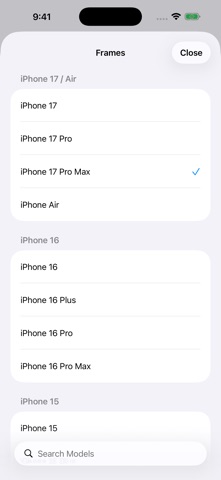
- Improved editing on iOS 26 with a larger preview, easier adjustments, and clearer Save and Share controls. - Added iPhone, iPad, and Apple Watch frames and colors, with model search. - Restored framing from Photos: Pro users can apply their current style to one image and save it. - Improved purchases, purchase restoration, and offline use. - Fixed issues with Pro previews and export restrictions, and updated the privacy policy and help.
Ratings breakdown · US
The star breakdown behind this app's rating in this storefront.
Screenshots

About
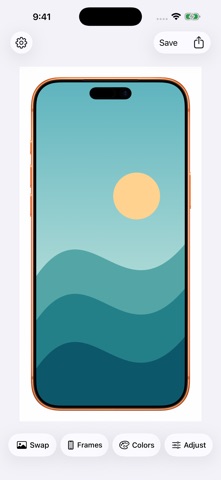
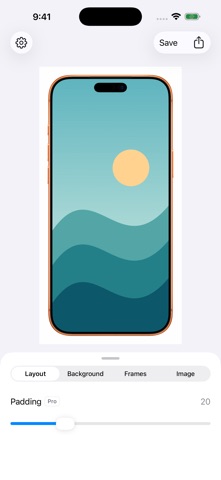
Add iPhone, iPad, and Apple Watch frames to screenshots, app screens, wallpapers, and photos. Choose an image, search for a device, and adjust the result in a large preview. Save it to Photos or share it directly. The basics • Search device models and choose from available frame colors. • Adjust image fit and automatic rotation while previewing the result. • Use basic framing and standard export for free. • Keep your current style for next time. Pro: unlock more with one purchase • Apple Watch frames. • Transparent or custom backgrounds and adjustable margins. • Frame color effects and options to hide the frame’s Dynamic Island or notch. • High-resolution export at a larger output size. • Frame from Photos: select one image in the Photos share menu, apply your current style from the main app, and save a new copy. Preview Pro effects for free; unlock Pro to export them. Pro is a one-time purchase with no subscription. See the in-app price for your region. Previous buyers can restore their purchase. Images are processed on your device. No ads, tracking, data collection, or account registration. Support: pomelo4app@gmail.com Privacy policy: https://x3ai.github.io/xbezels-pages/en/privacy.html Terms of use: https://www.apple.com/legal/internet-services/itunes/dev/stdeula/
What's new · 1.0.14
- Improved editing on iOS 26 with a larger preview, easier adjustments, and clearer Save and Share controls. - Added iPhone, iPad, and Apple Watch frames and colors, with model search. - Restored framing from Photos: Pro users can apply their current style to one image and save it. - Improved purchases, purchase restoration, and offline use. - Fixed issues with Pro previews and export restrictions, and updated the privacy policy and help.
Details