

Scanner app: PDF & Document
林林 王 · Utilities
Independent analytics for this App Store listing. AppTracker is not affiliated with 林林 王.
Chart standing · US
What changed · US
Listing changes AppTracker has observed for this app in this storefront — new versions, price moves, rating shifts, and store copy.
• Fixed known issues and improved stability.
Price & rating history · US
Reconstructed from the listing changes AppTracker has observed in this storefront. A field is charted once it has changed more than once, and each line starts at the value it moved from.
Average rating · ★ 5.00 now · 3 changes on record
Ratings breakdown · US
The star breakdown behind this app's rating in this storefront.
Screenshots


About
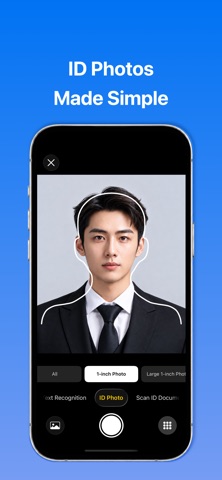
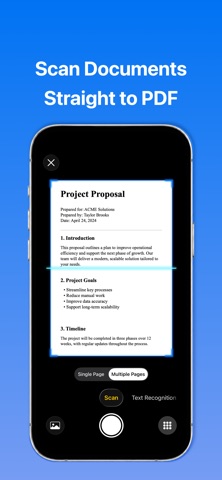
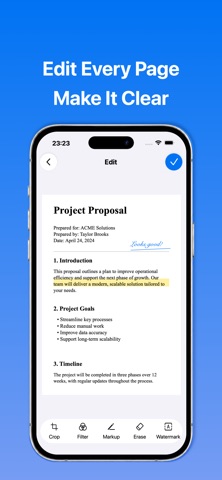
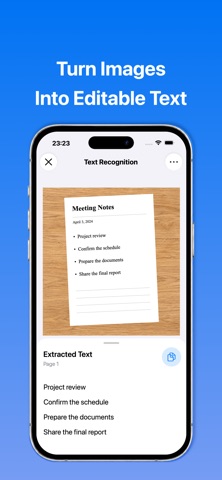
Turn paper and photos into PDFs with a document scanner built for iPhone and iPad. PDF Scanner helps you scan documents, receipts, notes, forms, contracts and supported ID documents. Capture pages with your camera or import photos, then crop, refine, organize and share your files. SCAN DOCUMENTS TO PDF • Scan single-page and multi-page documents • Detect document edges and correct perspective automatically • Import multiple photos into one document • Scan supported ID cards, passports and other credentials • Create multi-page PDFs or export individual pages as JPG images EDIT DOCUMENTS AND ADD SIGNATURES • Crop pages and adjust document boundaries • Apply filters and adjust brightness, contrast and saturation • Draw, highlight and annotate documents • Add electronic signatures and text watermarks • Erase unwanted areas • Add, remove and reorder pages EXTRACT TEXT WITH OCR • Recognize and extract text from photos and scanned images • Select up to 9 images at once • Switch between original images and recognized text • Copy text from one image or copy all results EDIT PHOTOS AND CREATE COLLAGES • Crop, rotate and flip images • Apply filters, adjust image settings and add text • Undo and redo editing changes • Combine photos using collage templates • Adjust each photo’s position and framing • Save finished images and collages to Photos CREATE ID PHOTOS • Choose from common ID photo sizes • Use portrait guides to frame your photo • Change the background to white, blue or red • Preview the result before saving or sharing SCAN AND CREATE QR CODES • Scan QR codes with the camera or recognize them from photos • View and copy text or web links • Open links in the built-in browser or Safari • Generate QR codes from text or links • Copy or save generated QR codes ORGANIZE, SHARE AND PRINT • Organize documents with folders and tags • Rename files and sort by creation date or file size • Restore documents from Recently Deleted • Export documents as PDF or JPG • Share, email and print your files • Open documents in additional windows on supported iPads DESIGNED FOR IPHONE AND IPAD Use an adaptive interface with Light, Dark and System appearance, Dynamic Type and accessibility support. Widgets provide quick access to scanning, tools and recent documents. FREE USE AND PREMIUM FEATURES Create up to 3 documents for free. OCR Text Recognition, Image Editor and Collage each include one free use. Optional premium membership unlocks additional document creation, processing and editing features. Available plans, pricing and subscription details are shown before purchase. Privacy Policy: https://www.freeprivacypolicy.com/live/361bd1e0-1676-4e3e-8874-7bf79b124a0a Terms of Use: https://www.freeprivacypolicy.com/live/476c89a6-0e90-44c4-a440-44383dc43183
What's new · 4.3.2
• Fixed known issues and improved stability.
Details