

MINT TMS
MINT MEDIA INTERACTIVE Software Systems GmbH · Education
Independent analytics for this App Store listing. AppTracker is not affiliated with MINT MEDIA INTERACTIVE Software Systems GmbH.
Chart standing · US
What changed · US
Listing changes AppTracker has observed for this app in this storefront — new versions, price moves, rating shifts, and store copy.
Important Update for iOS 27 Users This update resolves a major issue where Forms could fail to load on devices running iOS 27, resulting in a blank page. We recommend updating to the latest version of TMS Mobile to receive this fix.
Ratings breakdown · US
The star breakdown behind this app's rating in this storefront.
Screenshots


About
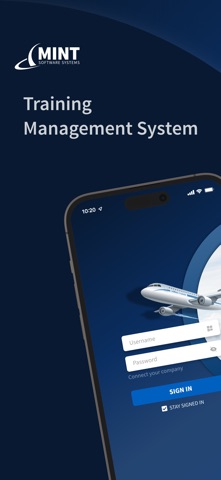
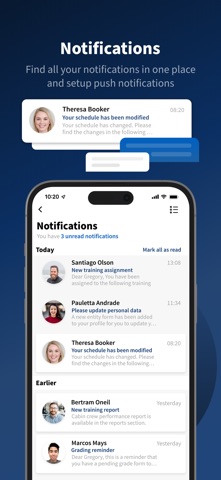
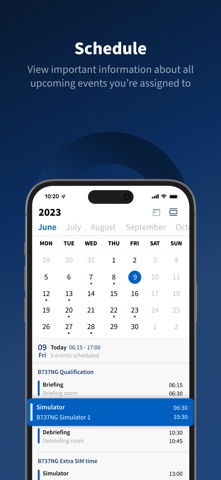
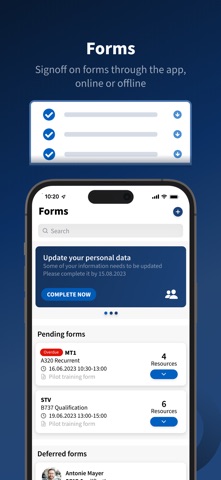
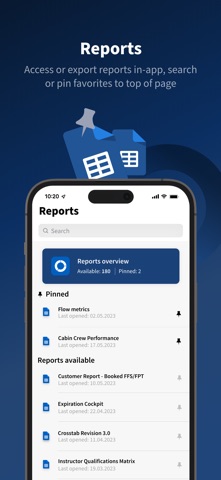
MINT TMS app is the on-the-go connection to the MINT Training Management System, MINT TMS. The app allows you to quickly and easily access up-to-date schedule info, complete forms (online or offline), visualize reports on MINT data, and display automatic notifications. DASHBOARD The Dashboard provides a landing page with quick access to ad-hoc grading, recently opened reports, and a summary of your upcoming events. SCHEDULE You can view important info about all your upcoming events like date/time, location, and who else is assigned. FORMS There are all kinds of forms you can complete through the app, online or offline, like pending, ad-hoc, deferred, or personal information. We’ve also implemented one-tap grading where you can quickly assign qualifications without completing a form. REPORTS You can access and export your MINT reports in various formats. Additionally, you can search through all available reports or pin your most-used to the top of the page. NOTIFICATIONS Find all your messages and alerts in one place. You can also set up push notifications to view important info in realtime. MINT SaaS users can connect to the app with the same MINT TMS username and password. *Note: To use the MINT TMS app, your organization must be running MINT TMS v.2023.1.0.815 or newer. If your organization is using an earlier version, please contact your MINT TMS administrator to arrange an upgrade to a supported version.*
What's new · 2025.4.1
Important Update for iOS 27 Users This update resolves a major issue where Forms could fail to load on devices running iOS 27, resulting in a blank page. We recommend updating to the latest version of TMS Mobile to receive this fix.
Details