

Equipment Touch
Carrier Corporation · Business
Independent analytics for this App Store listing. AppTracker is not affiliated with Carrier Corporation.
Chart standing · US
In-app purchases · US
No in-app purchases.
Screenshots


About
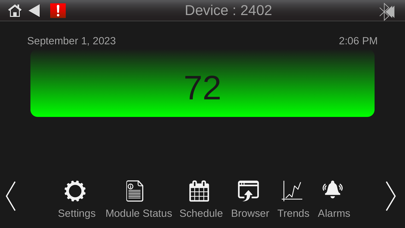
The Equipment Touch App allows you to connect your iPhone or iPad to a BAS controller via Wi-Fi or Ethernet. These connection(s) allows you to effortlessly access and control property settings, schedule equipment operations, monitor trends, and respond to alarms. When you connect to the controller, the Equipment Touch App automatically uploads a custom Equipment Touch view file that resides within the controller. Once this file is fully loaded, the app provides real-time status updates and parameter values, allowing you to seamlessly navigate through screens designed for equipment maintenance and troubleshooting. In cases where no custom Equipment Touch file is available in the controller, the Equipment Touch App grants access to pre-built system screens within the app itself. While these screens offer limited controller access, they serve as a valuable resource for basic troubleshooting.
What's new · 2.2.0
Performance Improvement Bug fixes
Details