

SERecorder
Daichi Kato · Utilities
Independent analytics for this App Store listing. AppTracker is not affiliated with Daichi Kato.
Chart standing · US
In-app purchases · US
No in-app purchases.
Screenshots

About
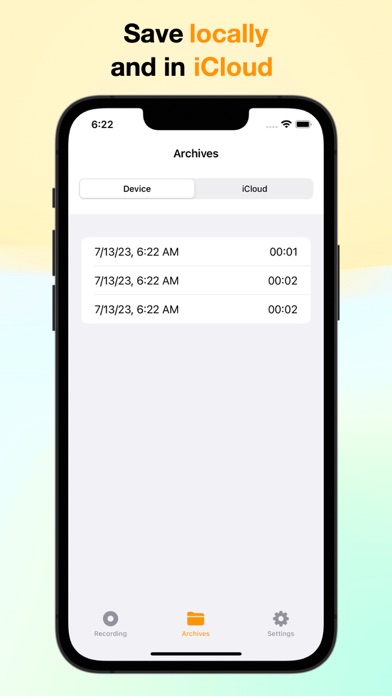
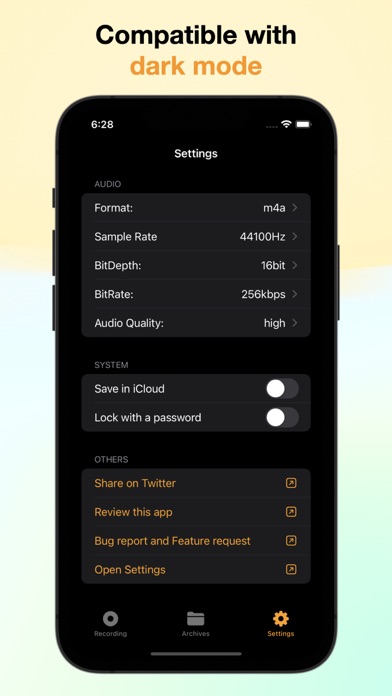
An app that allows you to easily make high-quality audio recordings for various situations, such as business meetings, lectures, and interviews. Using the app is simple. Just tap the screen to start and stop recording. The app also has a feature that automatically backs up recorded files to iCloud, preventing data loss. Flexible recording settings: Sample rate, bit depth, bitrate, and audio quality can be freely adjusted, allowing users to tailor the recording quality to their external microphone or other needs. Compatible audio file formats: The app supports .aiff, .wav, .m4a, and .caf formats, enabling users to record in the format that best suits their purposes. Choice of storage location: Recordings can be saved to the device or to iCloud, allowing users to choose the best storage option to prevent data loss or avoid running out of iCloud storage space. Saving to iCloud also allows files to be accessed from a Mac. Recordings can be viewed and managed with the iFiles app: Files can be easily transferred, moved, or deleted using the iFiles app, which provides easy access to recorded files.
What's new · 1.2.0
Bug fixes and performance improvements.
Details