

Font Maker: Create Your Font
Burak Eray Kayis · Photo & Video
Independent analytics for this App Store listing. AppTracker is not affiliated with Burak Eray Kayis.
Chart standing · US
What changed · US
Listing changes AppTracker has observed for this app in this storefront — new versions, price moves, rating shifts, and store copy.
We're excited to announce a new update for Font Maker: Create Handwriting Font. - Transform your handwriting into a one-of-a-kind font and use it across your favorite apps. - Give your Home Screen a personal touch with widgets featuring your own handwriting. - Create custom fonts with broader support for more languages and writing systems. - Install and start using your fonts effortlessly with clearer, step-by-step guidance. Thank you for using Font Maker app!
Price & rating history · US
Reconstructed from the listing changes AppTracker has observed in this storefront. A field is charted once it has changed more than once, and each line starts at the value it moved from.
Average rating · ★ 4.08 now · 5 changes on record
Ratings breakdown · US
The star breakdown behind this app's rating in this storefront.
In-app purchases · US
What this app sells inside itself, grouped by kind and priced for this storefront.
Screenshots




About
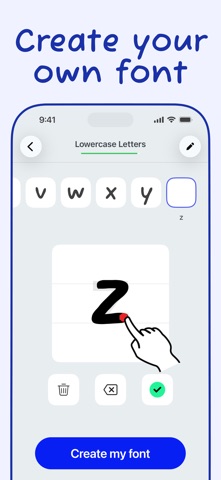
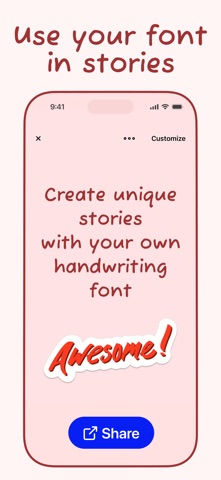
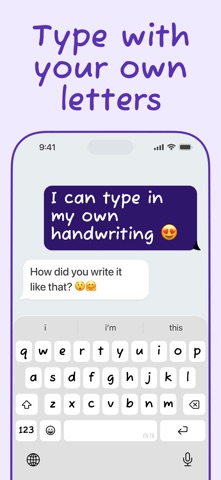
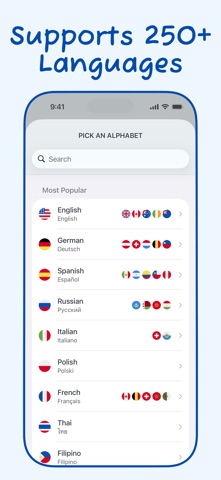
Amazing Features in Font Maker: Create Your Font app: - Create & Save Forever: Design your handwriting fonts and save them permanently. - Multilingual Support: Supports 40+ languages and alphabets. Find your own alphabet easily. - Complete Character Set: Add lowercase, uppercase, numbers, and special characters for a comprehensive font. - Export as .TTF: Export your font as a .TTF file and use it directly in any desktop or mobile app like Word, PowerPoint, and other design apps. - Customizable Designs: Create amazing stories and posts, customize your design, and share them on social media to stand out. - Adjustable Thickness: Choose your font's thickness (light, medium, or bold) according to your preference. - Template Saving: Save your designs as templates and reuse them whenever you want. How does Font Maker work? 1. Draw Your Characters: Draw your letters, numbers, and special characters with your own handwriting. 2. Save Your Font: Tap the "Save All" button to process your drawings and create your custom font. 3. Use Your Font: Tap the "Use this font" button and write anything you want on the screen. 4. Customize Your Design: Change the background color, text color, and font size easily. 5. Share & Export: Share your design on social media or export your font file with one tap! Font Maker: Create Your Font offers a one-time payment option for a lifetime premium membership, currently priced at $4.99 in the United States. If you need any assistance, please contact us: support@fontmakerapps.com Privacy Policy: https://fontmakerapps.com/docs/privacy-policy.html Terms of Use: https://fontmakerapps.com/docs/terms-of-use.html
What's new · 5.5.3
We're excited to announce a new update for Font Maker: Create Handwriting Font. - Transform your handwriting into a one-of-a-kind font and use it across your favorite apps. - Give your Home Screen a personal touch with widgets featuring your own handwriting. - Create custom fonts with broader support for more languages and writing systems. - Install and start using your fonts effortlessly with clearer, step-by-step guidance. Thank you for using Font Maker app!
Details