

TP-Link Tether
TP-Link Systems Inc. · Utilities
Independent analytics for this App Store listing. AppTracker is not affiliated with TP-Link Systems Inc.
Chart standing · US
What changed · US
Listing changes AppTracker has observed for this app in this storefront — new versions, price moves, rating shifts, and store copy.
Fixed some bugs and improved the stability.
Ratings breakdown · US
The star breakdown behind this app's rating in this storefront.
Screenshots


Keywords this app targets
Search terms AppTracker associates with this app — estimates, not search volume. ❝ = in the app's title; a highlighted number is its current position for that term.
Similar apps
Competitors and close alternatives, as estimated by AppTracker.
 EasyTierConnect
深智言技术有限公司
EasyTierConnect
深智言技术有限公司
 WiFi Blocker
test-alpha ltd
WiFi Blocker
test-alpha ltd
 TCL Connect
JRD Communication Ltd.
TCL Connect
JRD Communication Ltd.
 Cellular Tower - Signal Finder
Aleksandr Alekseev
1 shared topic
Cellular Tower - Signal Finder
Aleksandr Alekseev
1 shared topic
 OpenWRT Manager
ZhenHua Wu
1 shared topic
OpenWRT Manager
ZhenHua Wu
1 shared topic
 WiFi Tester & Network Analyzer
App Nursery
WiFi Tester & Network Analyzer
App Nursery
 WiFi Tools & Analyzer
Tamara Dudarenko
WiFi Tools & Analyzer
Tamara Dudarenko
 Verizon Home
Verizon Wireless
1 shared topic
Verizon Home
Verizon Wireless
1 shared topic
About
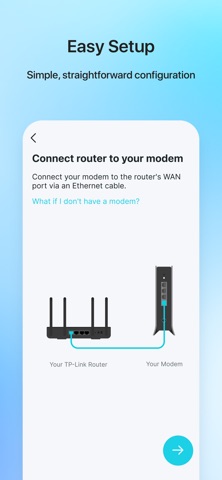
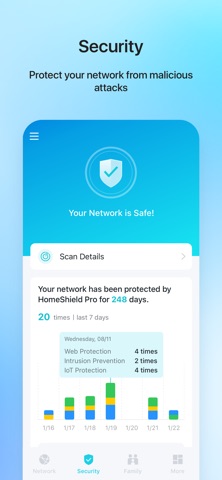
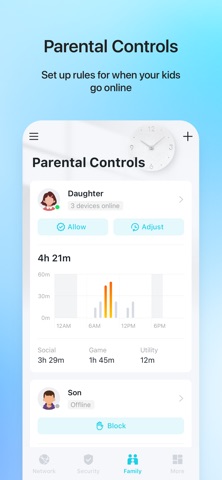
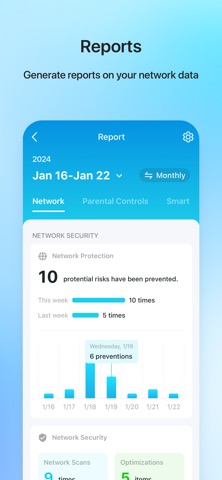
TP-Link Tether provides the easiest way to access and manage your TP-Link Router/ xDSL Router/ Range Extender with your mobile devices. From quick setup to parental controls, Tether provides a simple, intuitive user interface to see your device status, online client devices and their privileges. - Setup SSID, password and Internet or VDSL/ADSL settings of your devices - Block unauthorized users who are accessing your devices - Manage permissions of client devices - Parental control function with schedule and URL-based Internet access management - Find the best location to place your range extender - Automatically turn off the LEDs at specific time - Manage most of TP-Link devices simultaneously View compatible routers of Tether: https://www.tp-link.com/tether/product-list/#wi-fi-routers To learn how to find the hardware version of your device, go to http://www.tp-link.com/faq-46.html More devices supported by Tether are coming soon! Important Notes ● Upgrade firmware is required. Go to the download page to choose the correct version and download the latest firmware: http://www.tp-link.com/support.html ● TP-Link Tether does not work when connected to guest network ● For any issue, please contact http://www.tp-link.com/support.html ● Privacy Policy: https://privacy.tp-link.com/app/Tether/privacy ● Terms of Use: https://privacy.tp-link.com/app/Tether/tou ● HomeShield Subscription Service Agreement: https://www.tp-link.com/homeshield/service-agreement/?app=tether ● Auto-Renewal Service Agreement: https://www.tp-link.com/homeshield/auto-renewal-service-agreement/?app=tether
What's new · 4.16.2
Fixed some bugs and improved the stability.
Details