

Countdown: Big Timer & Clock
BitBit Apps · Utilities
Independent analytics for this App Store listing. AppTracker is not affiliated with BitBit Apps.
Chart standing · US
Ratings breakdown · US
The star breakdown behind this app's rating in this storefront.
In-app purchases · US
No in-app purchases.
Screenshots

Keywords this app targets
Search terms AppTracker associates with this app — estimates, not search volume. ❝ = in the app's title; a highlighted number is its current position for that term.
Similar apps
Competitors and close alternatives, as estimated by AppTracker.
 Best Timer
Serhii Simkovskyi
1 shared topic · 1 shared title word
Best Timer
Serhii Simkovskyi
1 shared topic · 1 shared title word
 Cool Timer Pro
Serhii Simkovskyi
1 shared topic · 1 shared title word
Cool Timer Pro
Serhii Simkovskyi
1 shared topic · 1 shared title word
 Simple Sailing Countdown Timer
DAVID ANTHONY KING
1 shared topic · 2 shared title words
Simple Sailing Countdown Timer
DAVID ANTHONY KING
1 shared topic · 2 shared title words
 Timer Stopwatch App
Code Origin Private Limited
1 shared topic · 1 shared title word
Timer Stopwatch App
Code Origin Private Limited
1 shared topic · 1 shared title word
 Presentation Clock
Shawn Welch
1 shared title word
Presentation Clock
Shawn Welch
1 shared title word
 Countdown
Find Appiness LLC
1 shared topic · 1 shared title word
Countdown
Find Appiness LLC
1 shared topic · 1 shared title word
 Countdown Star (Ad-Free)
Joseph Merrill
1 shared topic · 1 shared title word
Countdown Star (Ad-Free)
Joseph Merrill
1 shared topic · 1 shared title word
 Time cal
Yukio Oishi
1 shared topic
Time cal
Yukio Oishi
1 shared topic
About
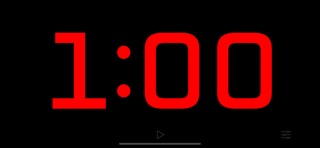
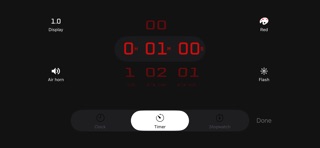
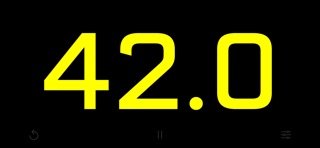
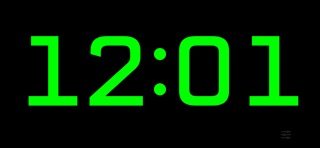
Replace the old sand timer in your favorite game with one that packs a punch! The countdown takes center stage in this app as a full-screen timer counts down the seconds. Run silently, or play a chime or air horn sound to let everyone know that time is up! Perfect for TV broadcasts, classrooms, debates, game shows, sporting events, or anywhere a highly visible stopwatch, timer, or clock with a streamlined appearance is needed. Features: + Beautiful design, maximizing countdown visibility + Tap anywhere to start or stop the countdown + Three modes - stopwatch, timer, or clock + Set a countdown up to 10 hours + Display the time in red, orange, yellow, green, blue, or purple Advanced features: + Optionally show tenths of a second during the last minute for extra excitement + Optionally flash during the last ten seconds + Optionally play an air horn or a chime sound when time is up + Optionally show elapsed time after the timer reaches 0:00 (double-tap or long-press the Timer icon on the settings screen to choose) + The device will not sleep while the timer is running + Background notifications make sure you know when your timer ends + Double-tap the time on the settings screen to switch between 1, 5, and 15-second increments Super-advanced features: + Control the timer remotely using a Bluetooth keyboard: The space bar starts/stops, escape resets, and you can change the countdown time by typing a number followed by enter. + Display the timer on an external screen using AirPlay mirroring, while keeping the controls visible only on your device! + Use side-by-side with other apps on iPad in slide-over or split-view mode
What's new · 3.0
Added an option to display seconds in clock mode Added support for controlling the timer, stopwatch, and clock via the iOS Shortcuts app Made the flash effect more subtle when the system "Accessibility > Motion > Dim Flashing Lights" option is enabled
Details